
Want IPTV smart TV setup without buying an extra box? Most smart TVs with an app store can run an IPTV player directly. You install the app on the TV, upload your SmartTVs playlist from your phone, and you’re watching in minutes. This guide works on Samsung, LG, Hisense, Vizio and other smart TVs that aren’t running Google TV.
Before you start: you need an active SmartTVs login. No account yet? Start a free trial and we’ll send your details on WhatsApp.
What You Need for IPTV on smart TV
- A smart TV with an app store, connected to the internet
- Your SmartTVs login or M3U link from WhatsApp
- A phone or computer to upload the playlist
How to Set Up IPTV on smart TV (Step by Step)
Follow each part in order. Every step has a real screenshot so you can check you are on the right screen.
Part 1: Install Hot Player on the TV
-
In your TV app store, search for Hot Player (or Hot IPTV) and install it.
-
Open Hot Player. At the bottom of the home screen, note Your MAC address.

Part 2: Upload playlist from phone / PC
-
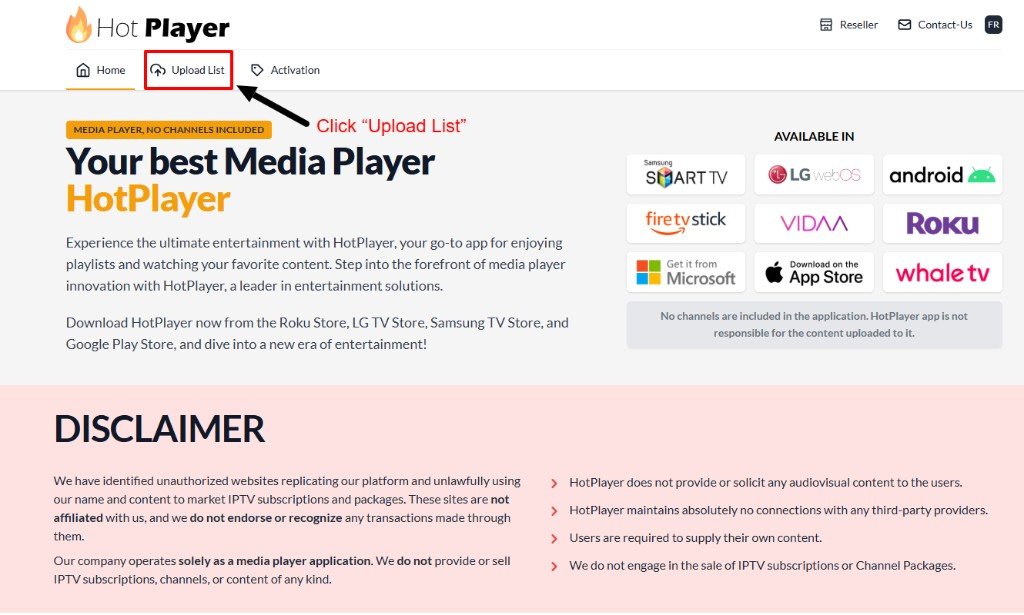
On a phone or computer, open the Hot Player website and click Upload List.
-
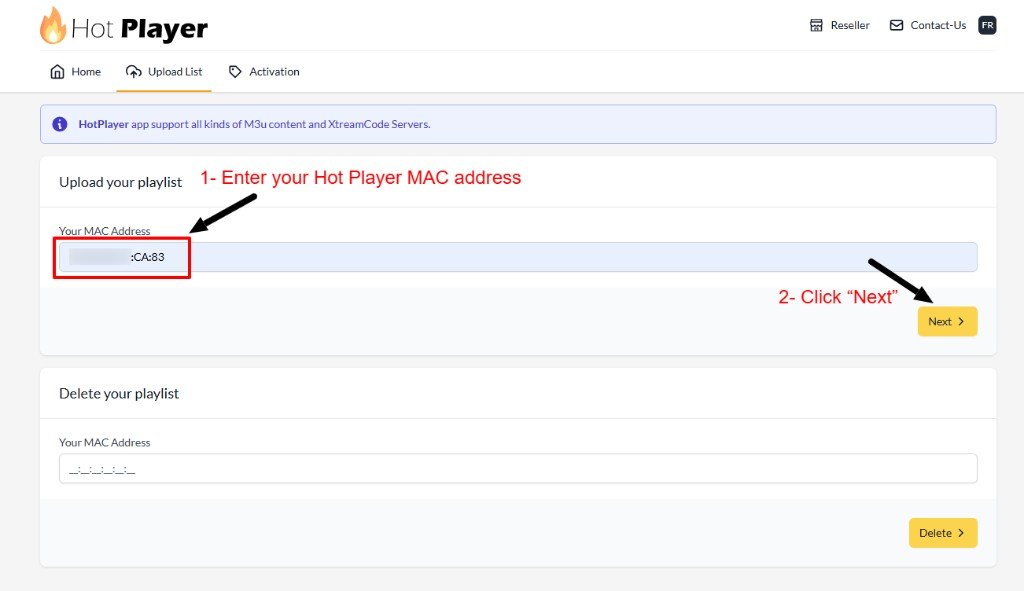
Enter the same MAC address from the TV, then click Next.
-
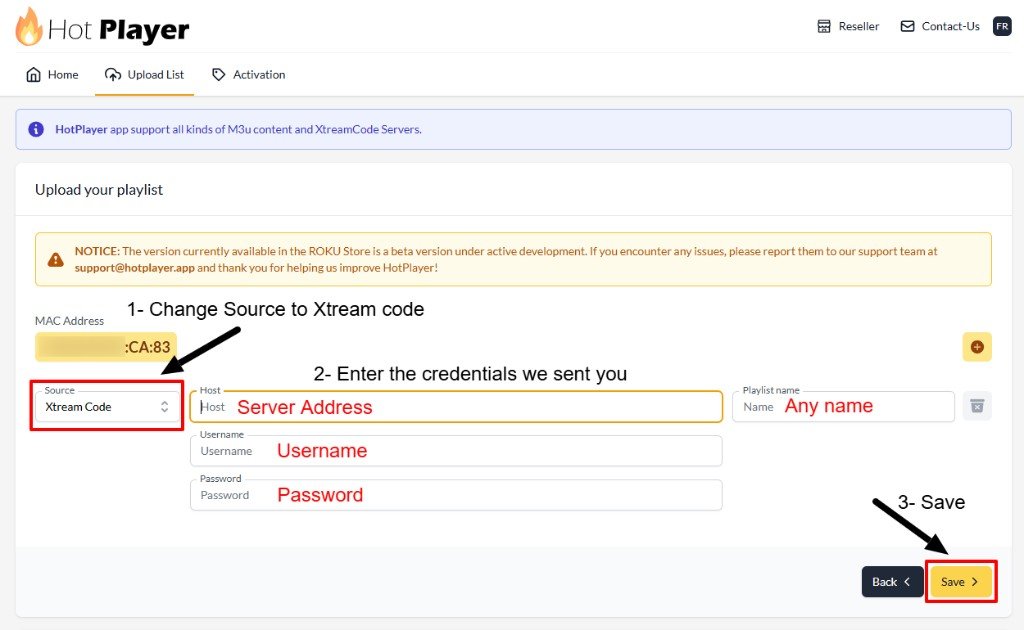
Change Source to Xtream Code, enter Server Address / Username / Password from WhatsApp (any playlist name), then click Save.
Part 3: Restart & watch
-
Return to the TV, close Hot Player fully, then open it again so the list refreshes.
-
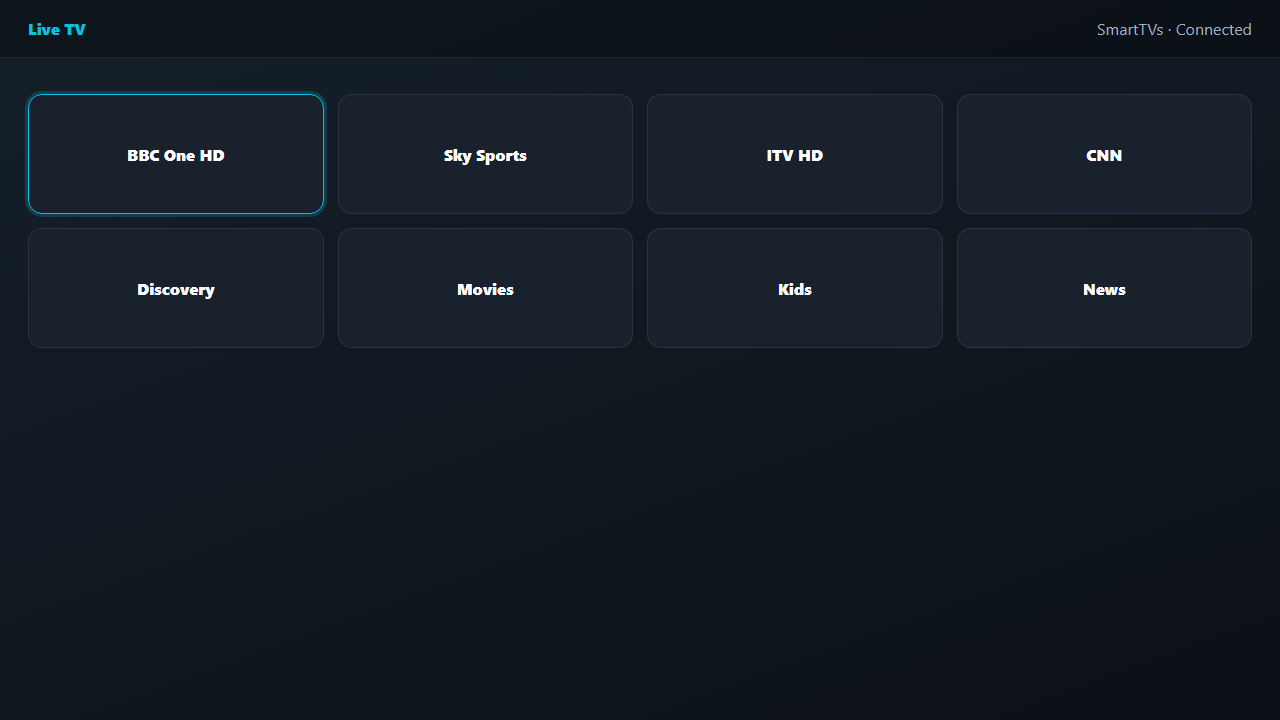
Open Live TV — channels should load after the refresh.
Samsung / LG store tips
-
Store names differ by brand (Smart Hub, LG Content Store, Apps). Search Hot Player exactly.
IPTV on smart TV: Troubleshooting
| Problem | Fix |
|---|---|
| Player app not in the store | Your model may not support it. Search for another IPTV player or plug in a Firestick. |
| Playlist won’t upload | Check the MAC address and device key exactly as shown on the TV. |
| App asks for payment | Many TV players are made by third parties and charge their own small licence after a trial. |
| Buffering | Use a cable or 5 GHz Wi-Fi. See buffering fixes. |
Still stuck? Check your speed with Speedtest (about 15–20 Mbps for HD), read IPTV internet speed, or message our UK support on WhatsApp.
Tips for the Best IPTV on smart TV Experience
Brand-specific guides: IPTV on Samsung TV and IPTV on LG TV. If your TV runs Google TV (many Sony, TCL and Philips sets), use the Android TV guide instead.
Set Up IPTV on Other Devices
Watching on more than one screen? See IPTV on multiple devices and compare IPTV UK subscription plans.
IPTV Smart TV: Frequently Asked Questions
Can I watch IPTV on my smart TV without a box?
Yes. Most smart TVs with an app store can install an IPTV player. You then upload your playlist from your phone.
Which smart TVs work with IPTV?
Samsung, LG, Hisense, Vizio and most smart TVs with an app store. Google TV models use the Android TV method.
Is the TV IPTV app free?
Many players offer a free trial, then charge a small one-off licence to the app developer, separate from your subscription.
My TV is old. What can I do?
Plug a Firestick into HDMI. It works on any TV with an HDMI port.
Need help with IPTV on smart TV?