
Roku doesn’t allow sideloading like a Firestick, so many people think IPTV on Roku isn’t possible. It is: you install a player from the Roku Channel Store, then link your SmartTVs playlist from your phone. This guide works on Roku TVs, Roku Streaming Stick, Streaming Stick+, Express and Ultra.
Before you start: you need an active SmartTVs login. No account yet? Start a free trial and we’ll send your details on WhatsApp.
What You Need for IPTV on Roku
- A Roku TV or Roku streaming device signed in to your Roku account
- Your SmartTVs playlist details from WhatsApp
- A phone or computer to upload the playlist
How to Set Up IPTV on Roku (Step by Step)
Follow each part in order. Every step has a real screenshot so you can check you are on the right screen.
Part 1: Install Hot Player on Roku
-
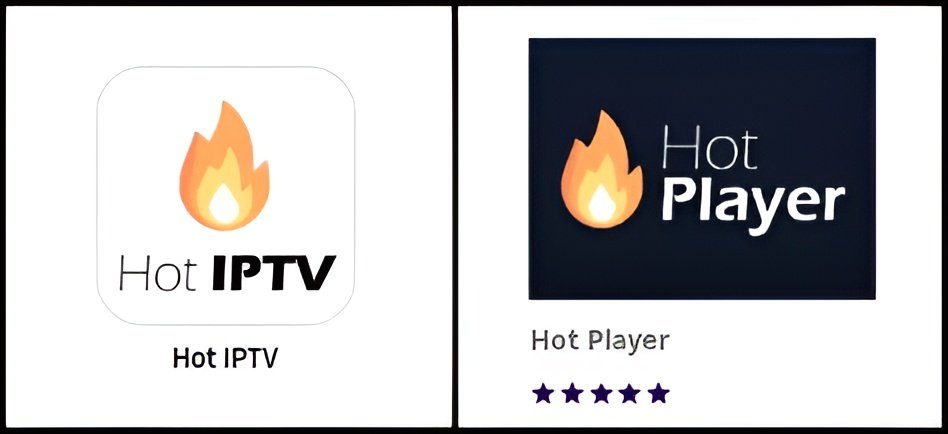
Open the Roku Channel Store and search for Hot Player (or Hot IPTV) — look for the flame logo.
-
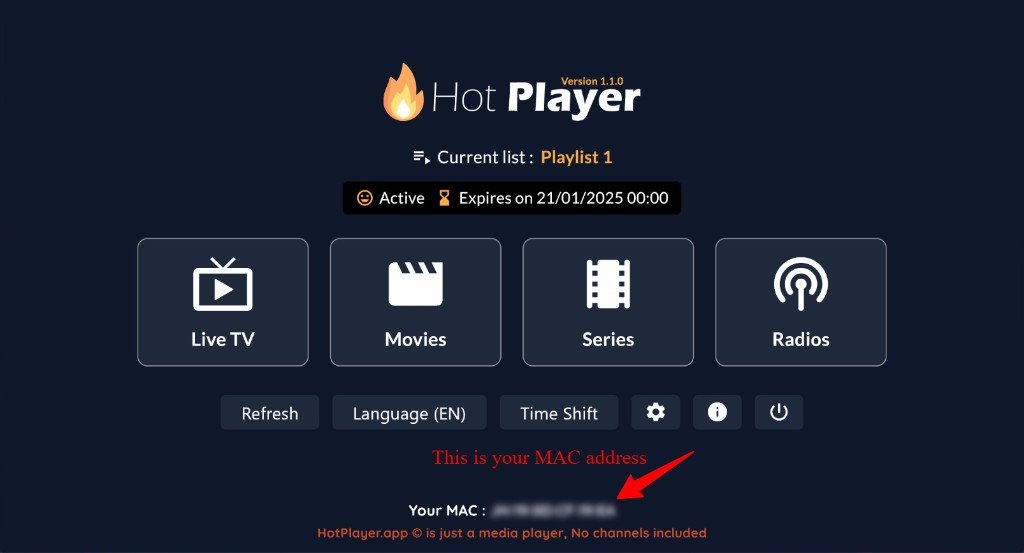
Add the channel, open it, then note Your MAC at the bottom of the Hot Player home screen.
Part 2: Upload playlist from phone / PC
-
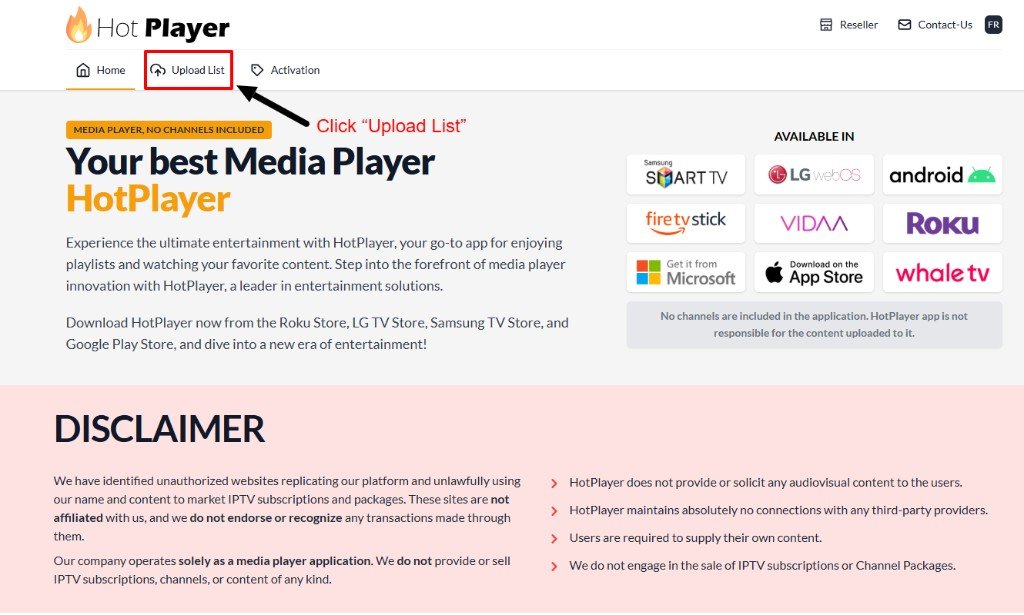
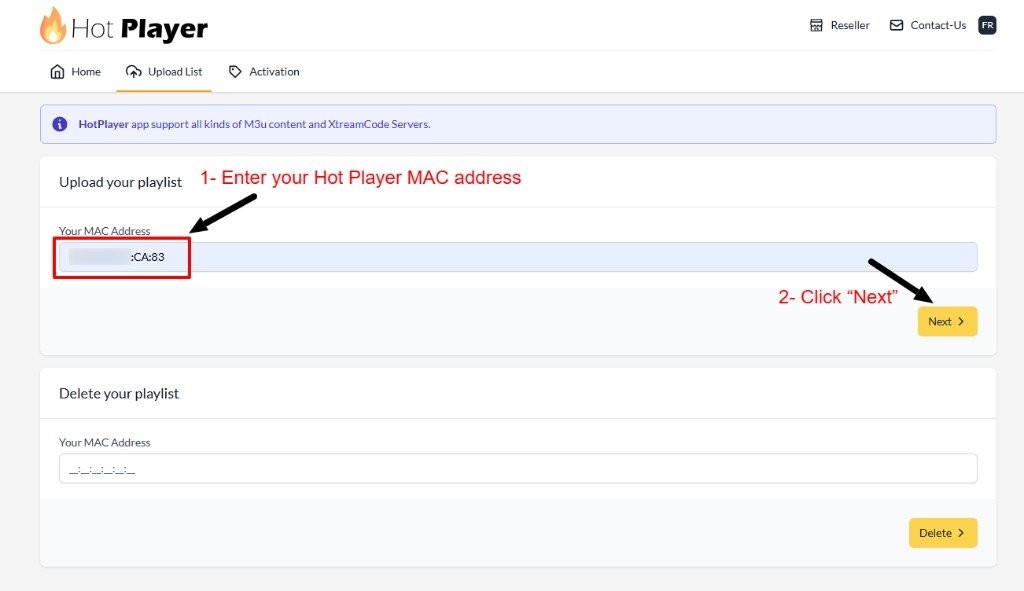
On a phone or computer, open the Hot Player website and click Upload List.
-
Enter the same MAC address from your Roku, then click Next.
-
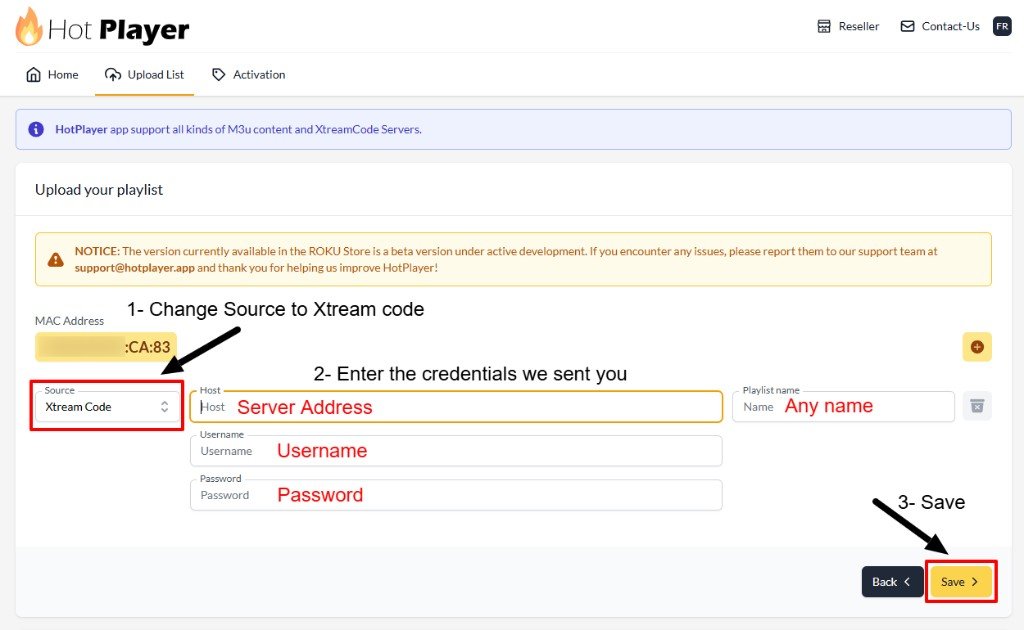
Change Source to Xtream Code, enter Server Address / Username / Password from WhatsApp (any playlist name), then click Save.
Part 3: Refresh & watch
-
Return to Roku, close Hot Player, open it again (or press Refresh), then open Live TV.
IPTV on Roku: Troubleshooting
| Problem | Fix |
|---|---|
| App not found in the Channel Store | Search by name on the Roku, or add it from the Roku website on your phone. |
| Playlist not showing | Re-check the MAC address, then restart the app (or the Roku). |
| Some features missing | Roku players can be more limited. For the full experience use a Firestick or Android TV box. |
| Buffering | Move the router closer or use a Roku Ultra with Ethernet. |
Still stuck? Check your speed with Speedtest (about 15–20 Mbps for HD), read IPTV internet speed, or message our UK support on WhatsApp.
Tips for the Best IPTV on Roku Experience
Roku IPTV players are newer than those on Fire TV and Android. If you need catch-up or advanced TV guide features, the Firestick IPTV setup is the more complete option. Compare devices in Roku vs Firestick.
Set Up IPTV on Other Devices
Watching on more than one screen? See IPTV on multiple devices and compare IPTV UK subscription plans.
IPTV on Roku: Frequently Asked Questions
Can I get IPTV on Roku?
Yes. Install a player from the Roku Channel Store and link your playlist from your phone using the TV’s MAC address.
Can I download IPTV Smarters on Roku?
IPTV Smarters isn’t normally available on Roku. Use a Roku player such as the one shown in this guide.
Does IPTV work on every Roku?
It works on Roku TVs, Streaming Stick, Stick+, Express and Ultra running current software.
Is Roku or Firestick better for IPTV?
Firestick has more IPTV apps and features. Roku works, but options are more limited.
Need help with IPTV on Roku?