This IPTV Firestick guide takes you from a brand-new Fire TV Stick to live UK TV in about 10 minutes. Every step has a real screenshot, so you always know exactly what you should see on your TV. It works on every Fire TV Stick (Lite, HD, 4K, 4K Max), the Fire TV Cube and Fire TV Edition smart TVs.
Before you start: you need an active SmartTVs login. No account yet? Start a free trial and we’ll send your details on WhatsApp.
What You Need for IPTV on Firestick
- A Fire TV Stick, Fire TV Cube or Fire TV Edition TV connected to Wi-Fi or Ethernet
- Your SmartTVs login (username, password and server URL) and the player download link, sent on WhatsApp
- About 10 minutes
How to Set Up IPTV on Firestick (Step by Step)
Follow each part in order. Every step has a real screenshot so you can check you are on the right screen.
Part 1: Install Downloader
-
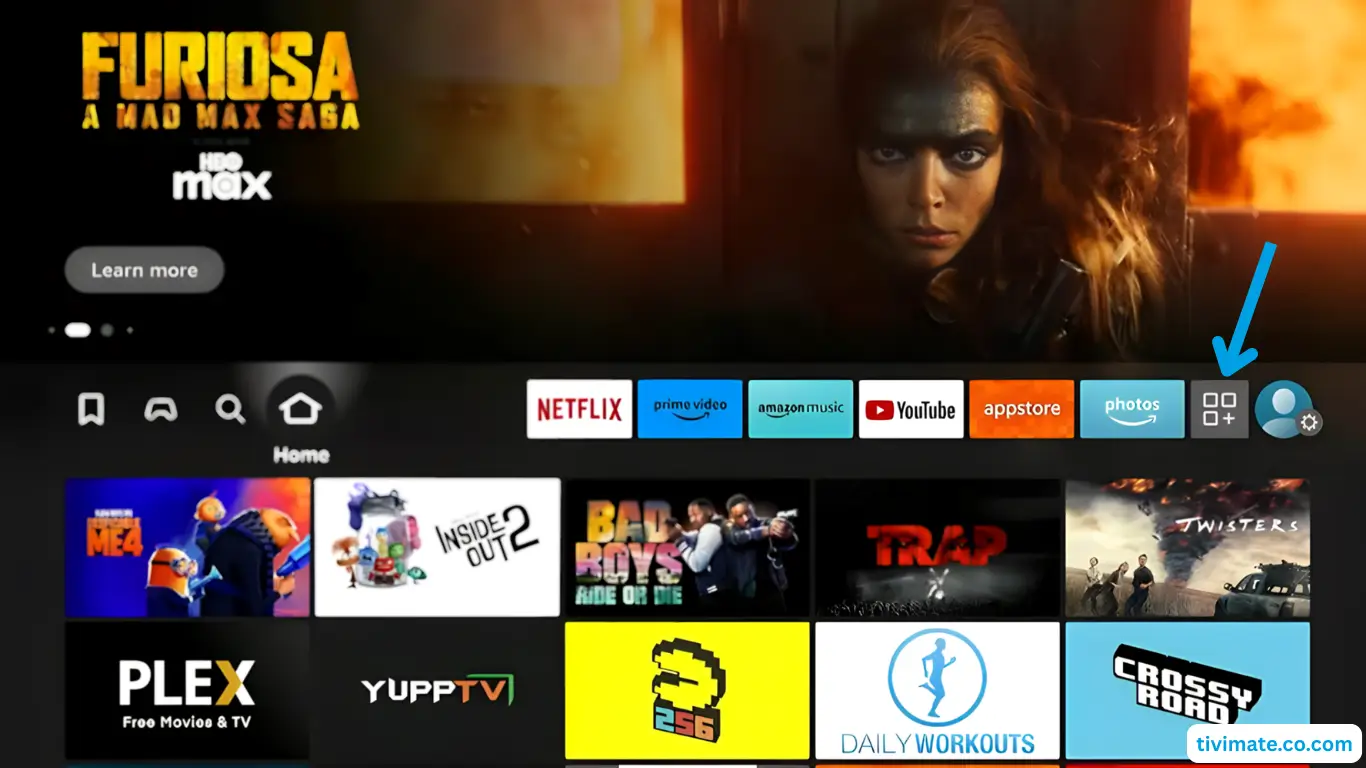
From the Fire TV home screen, open Your Apps & Channels (the apps grid / + icon).
-
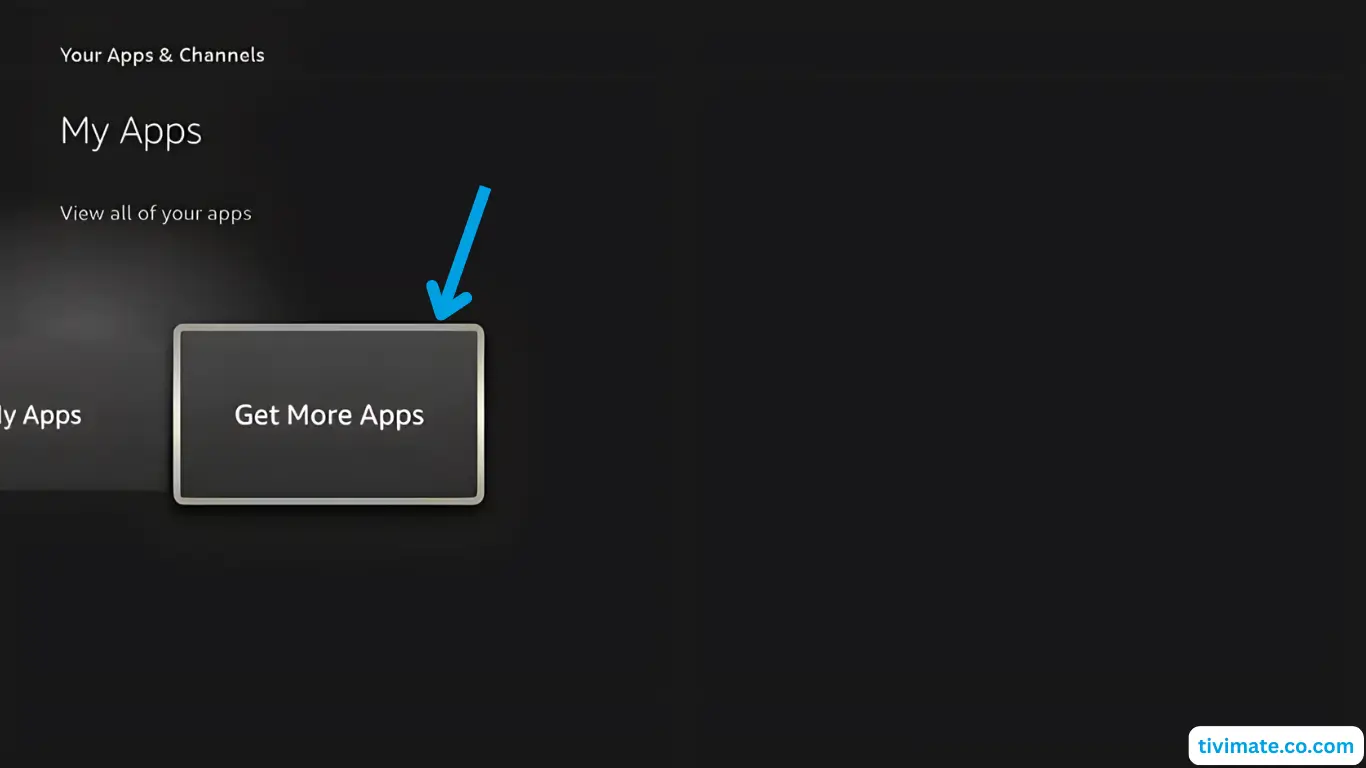
Select Get More Apps.
-
Open Search in the Appstore.
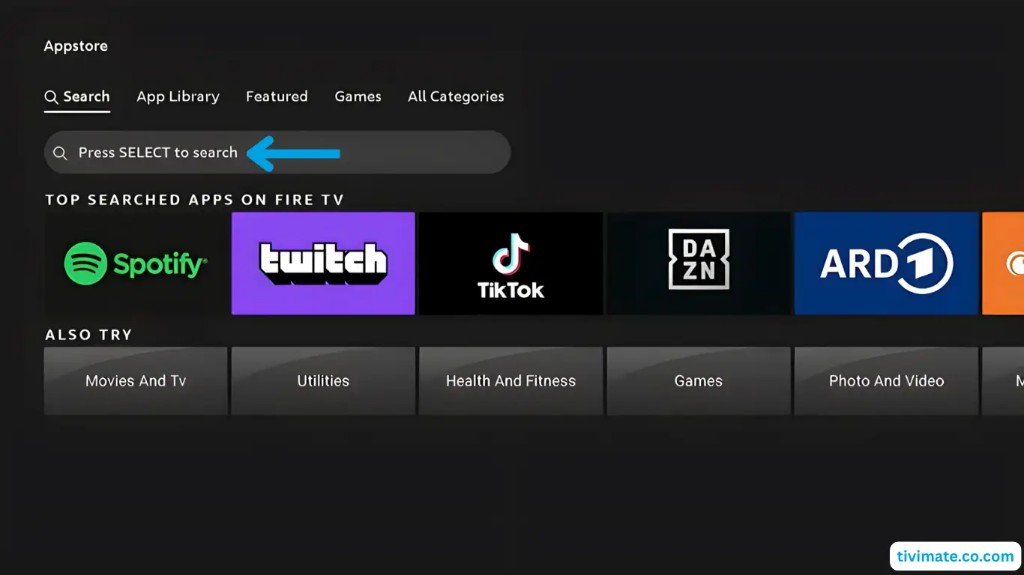
-
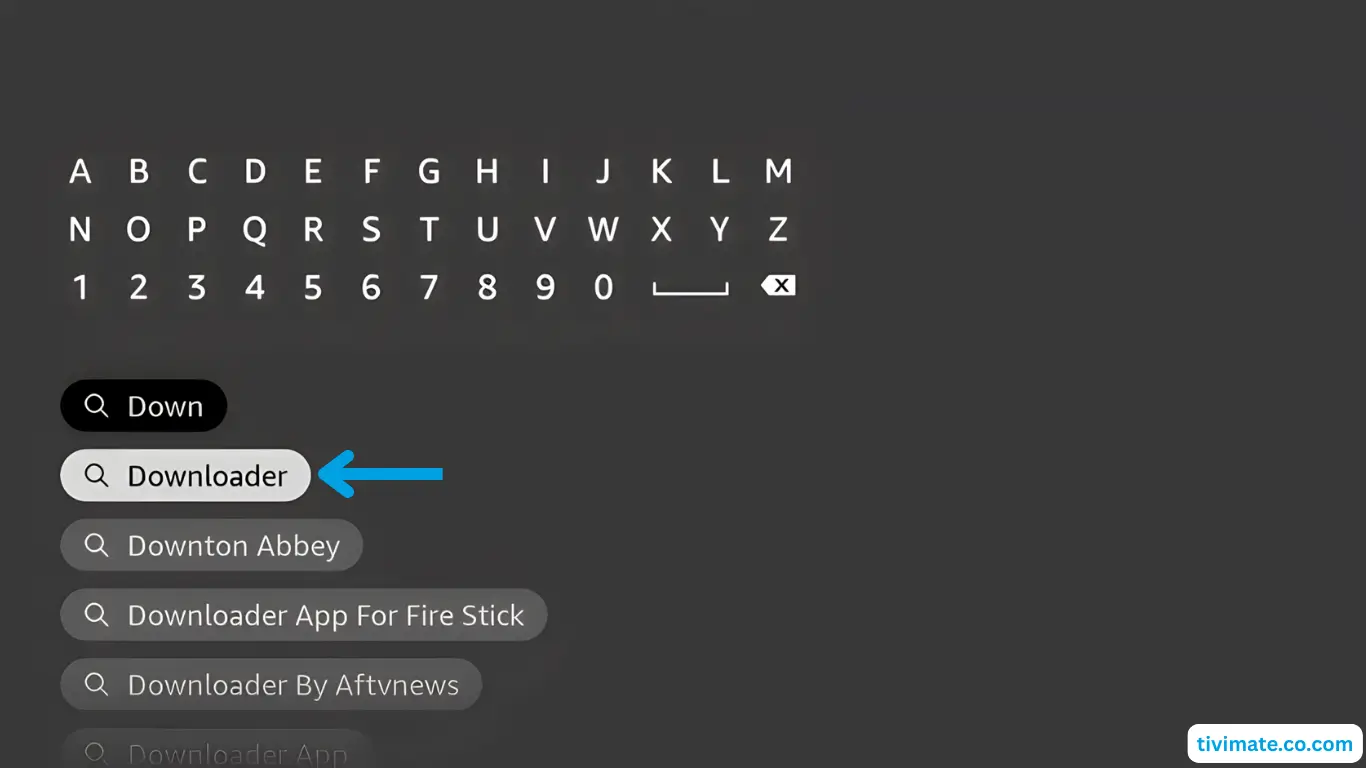
Start typing Downloader and select it from the suggestions.
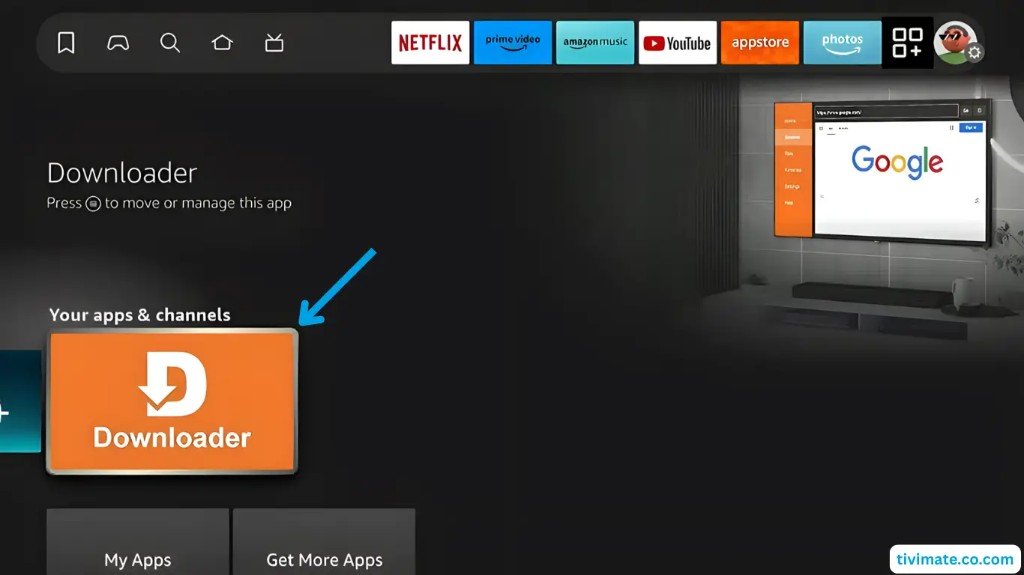
-
Open the Downloader listing.
-
Highlight the Downloader app tile.
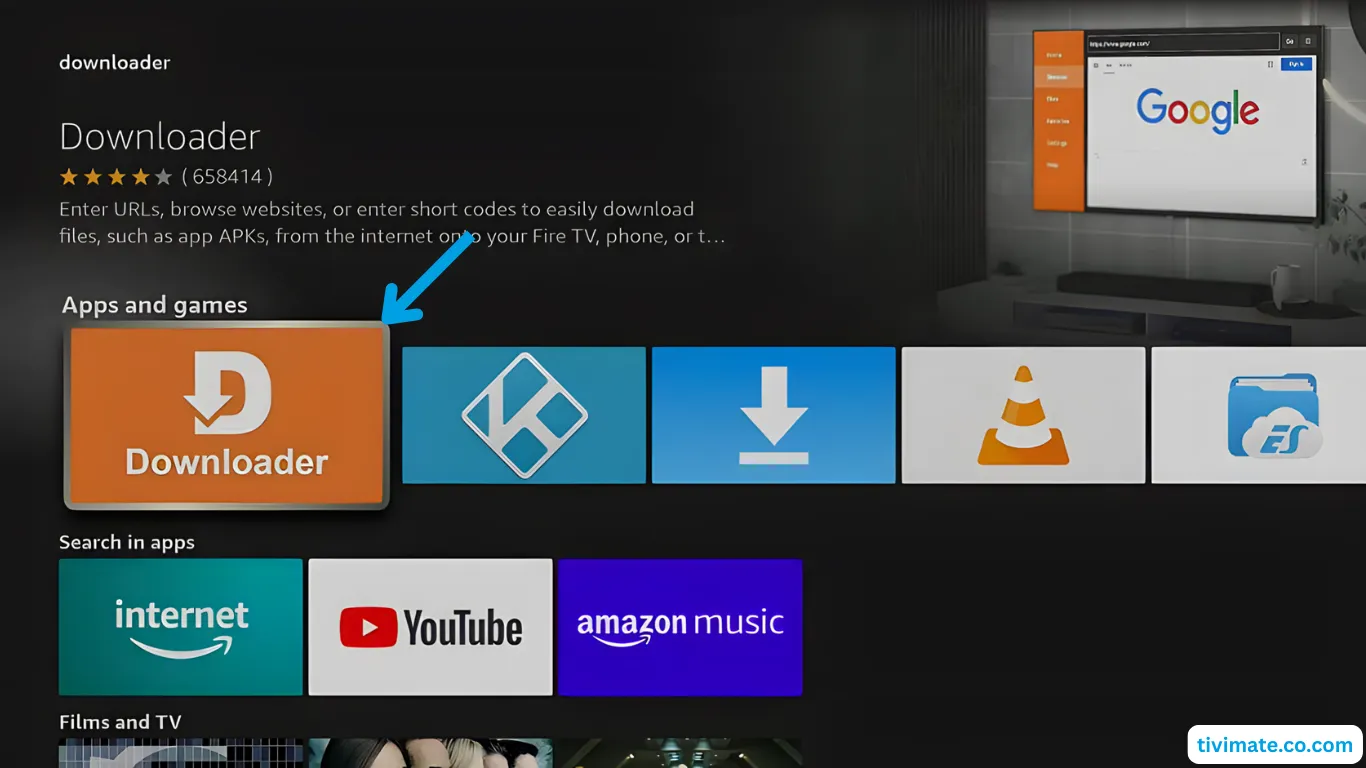
-
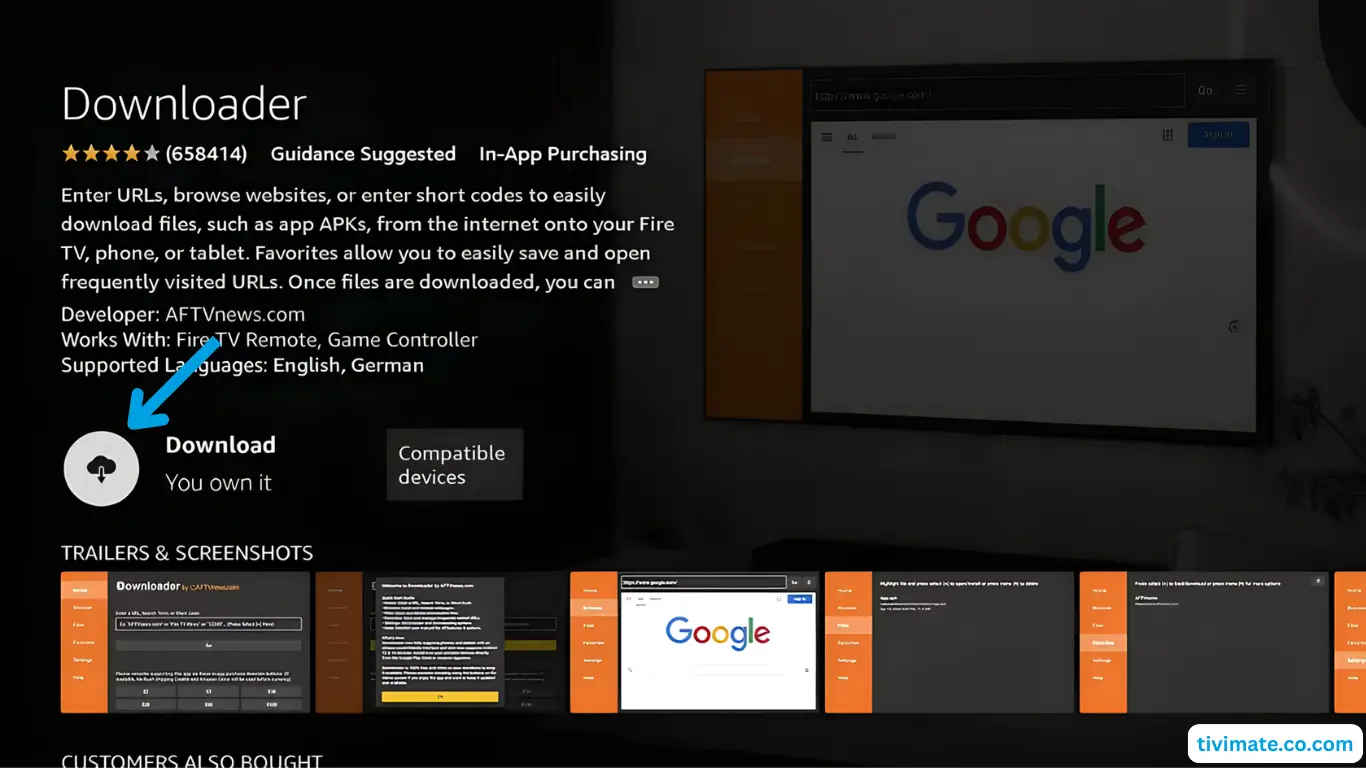
Press Download.
-
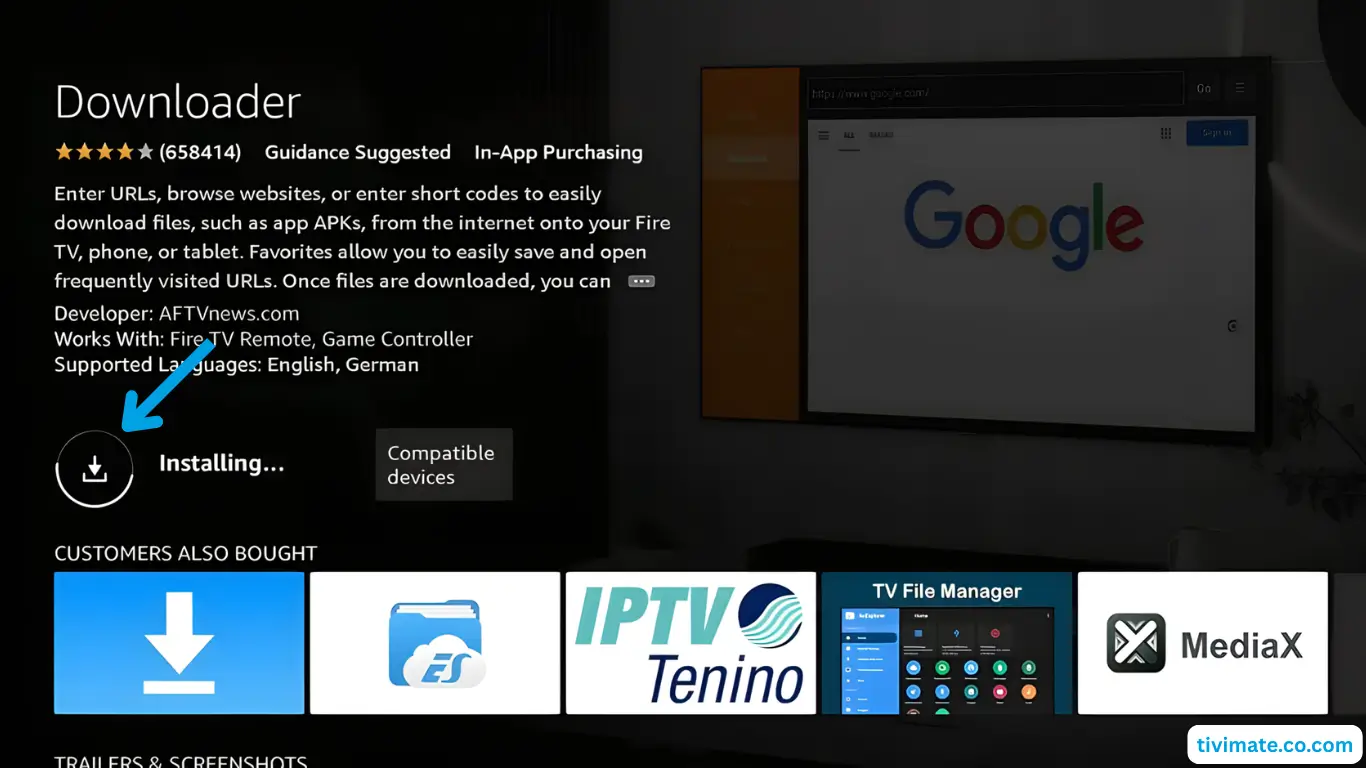
Wait while Downloader installs.
-
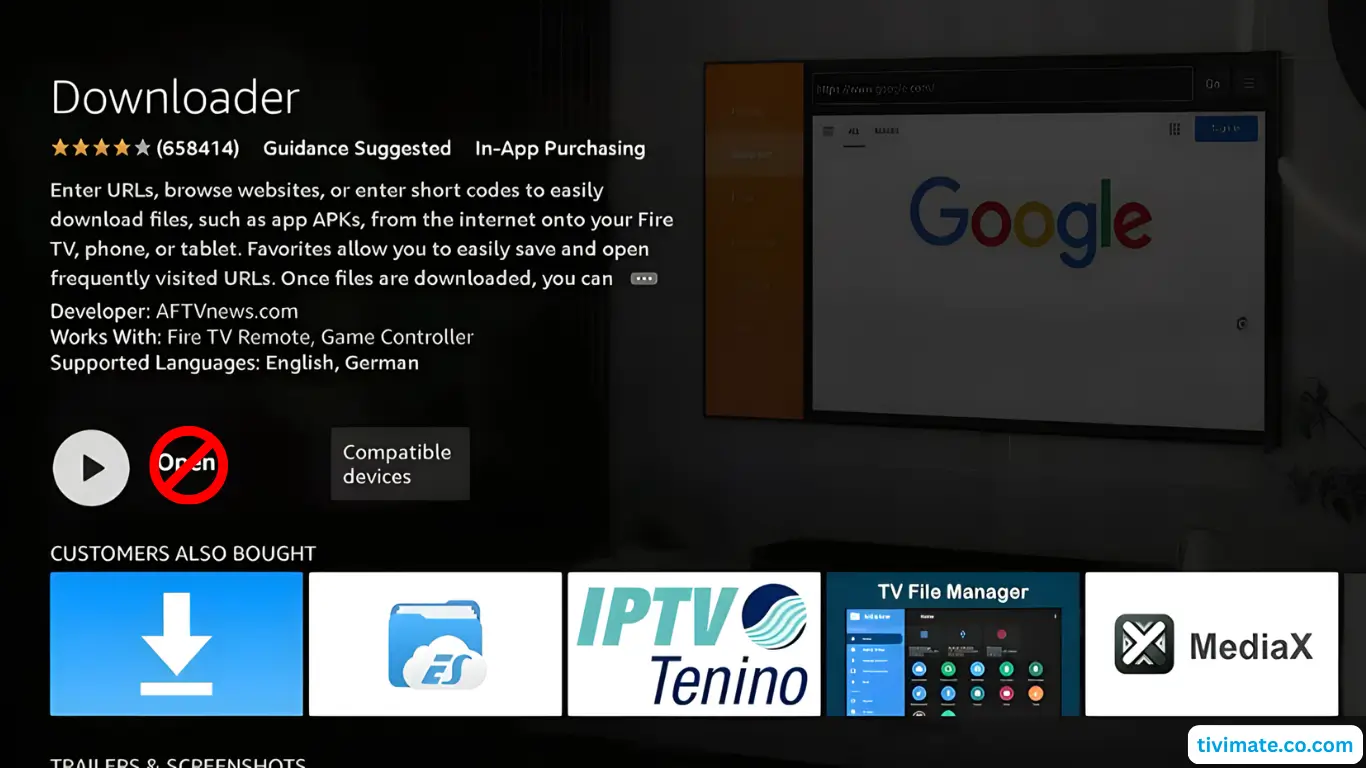
When it says Open — do not open yet. Press Back / Home.
Part 2: Allow unknown apps (Developer options)
-
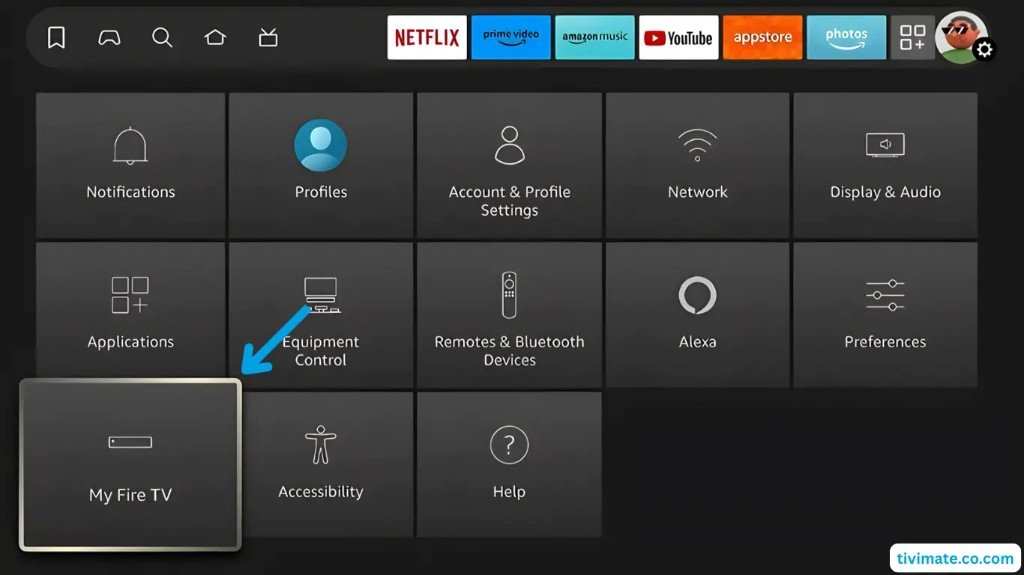
Open Settings, then select My Fire TV.
-
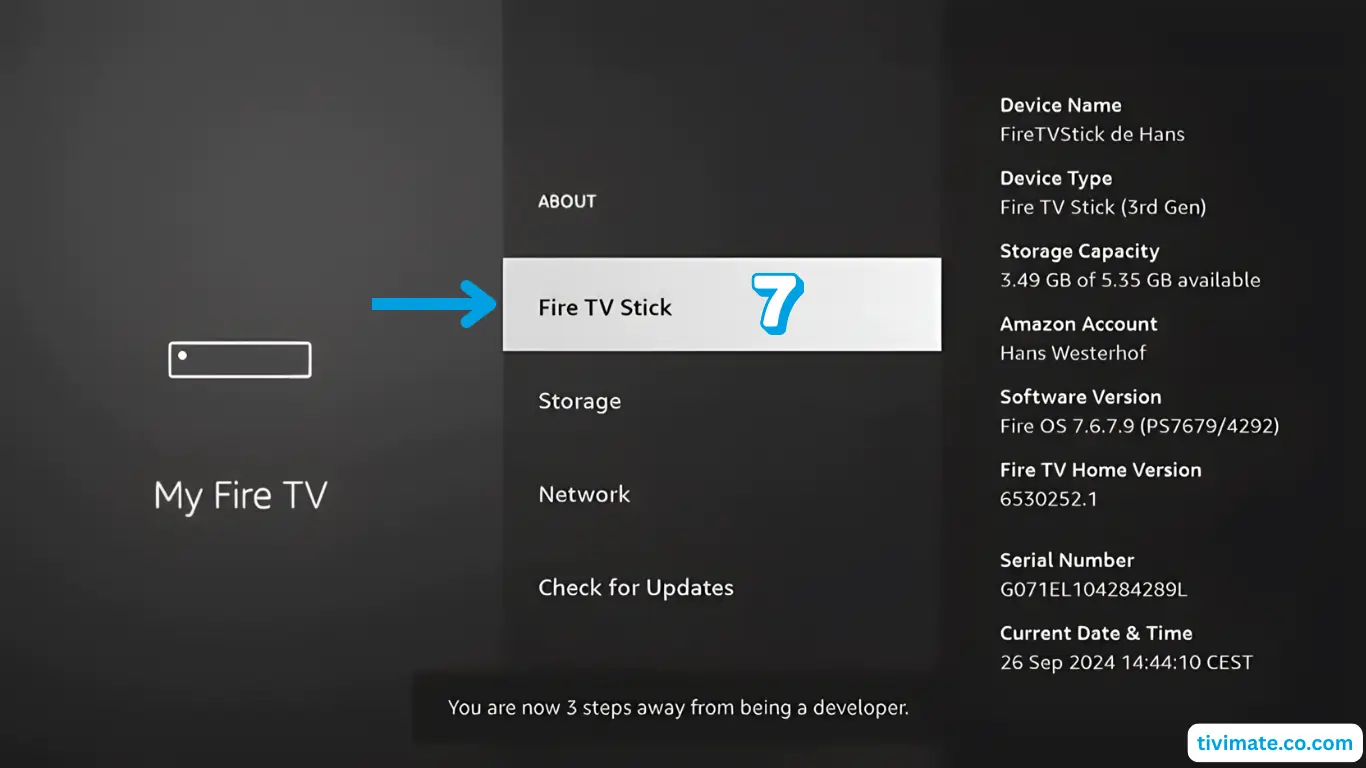
Open About and click the device name 7 times to unlock Developer Options.
-
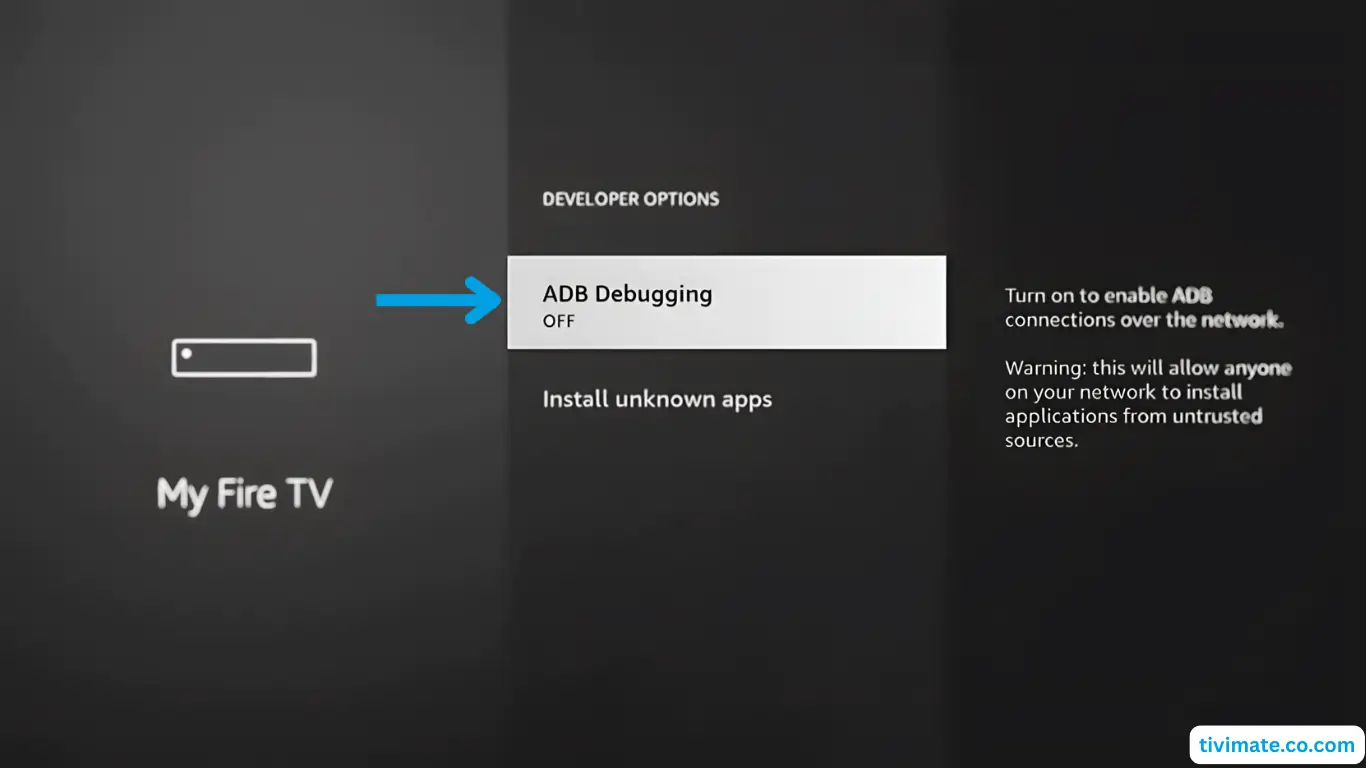
Open Developer Options and select ADB debugging.
-
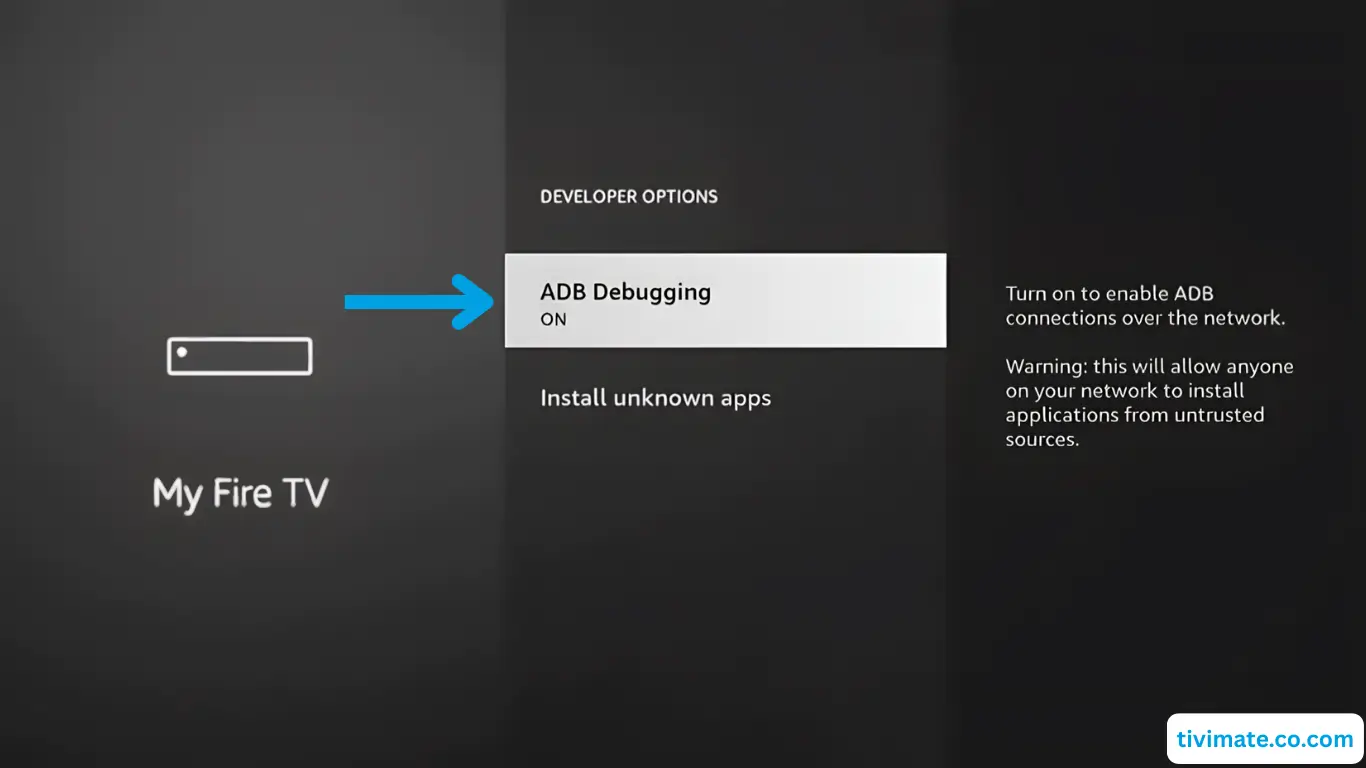
Turn ADB debugging On when asked.
-
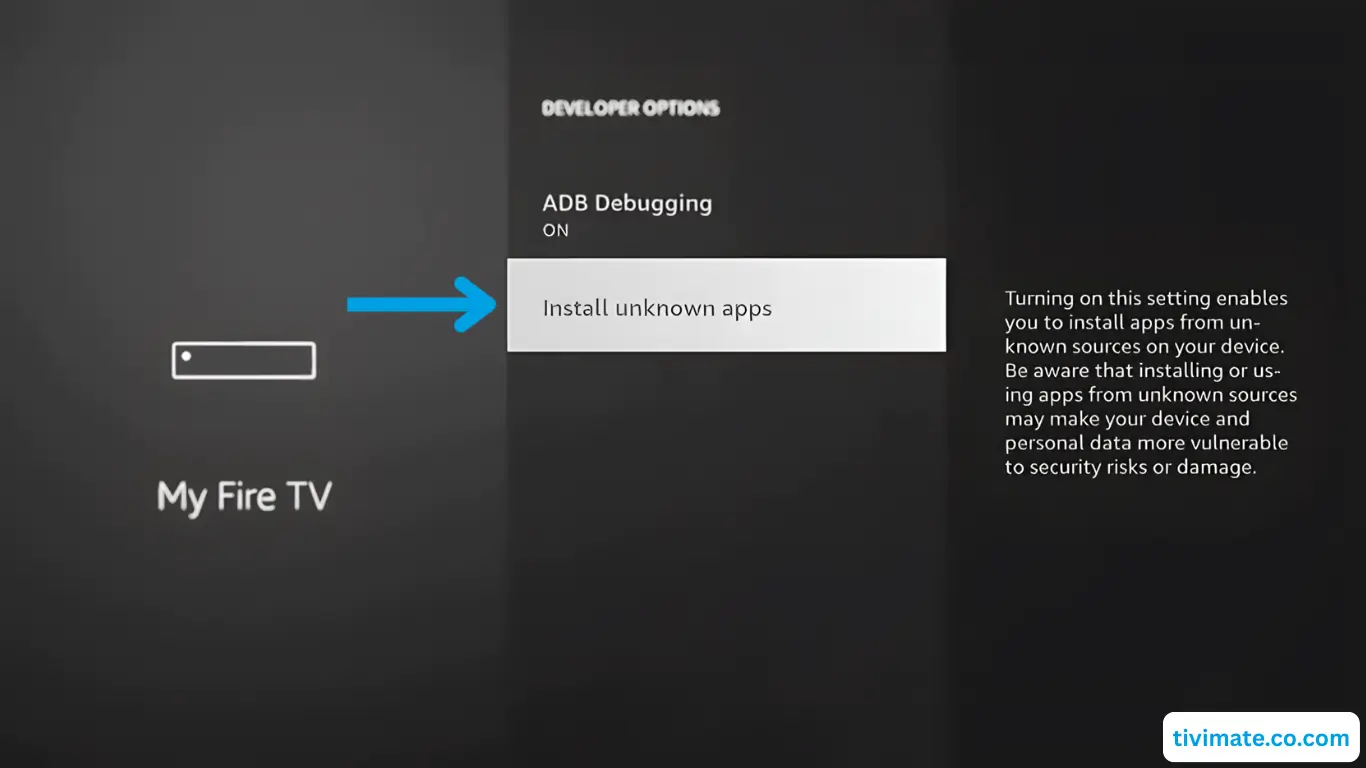
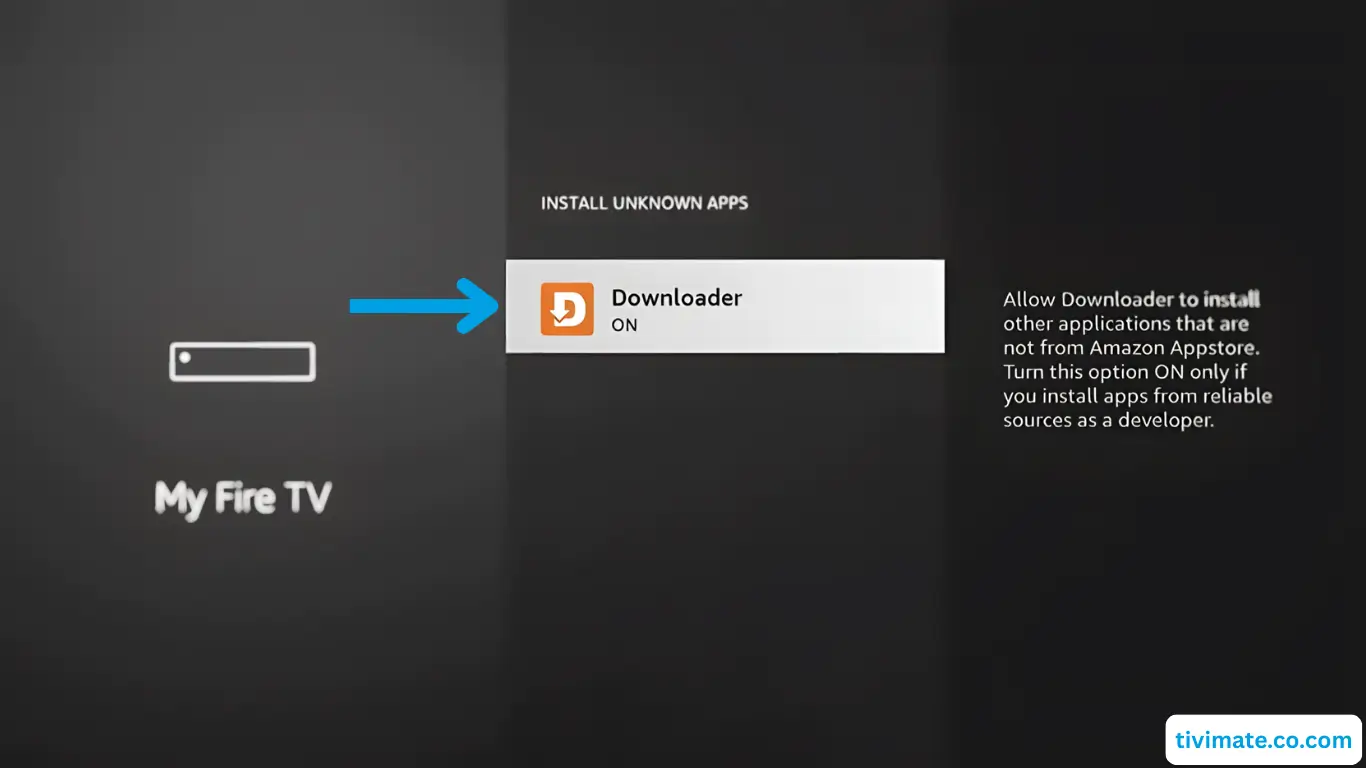
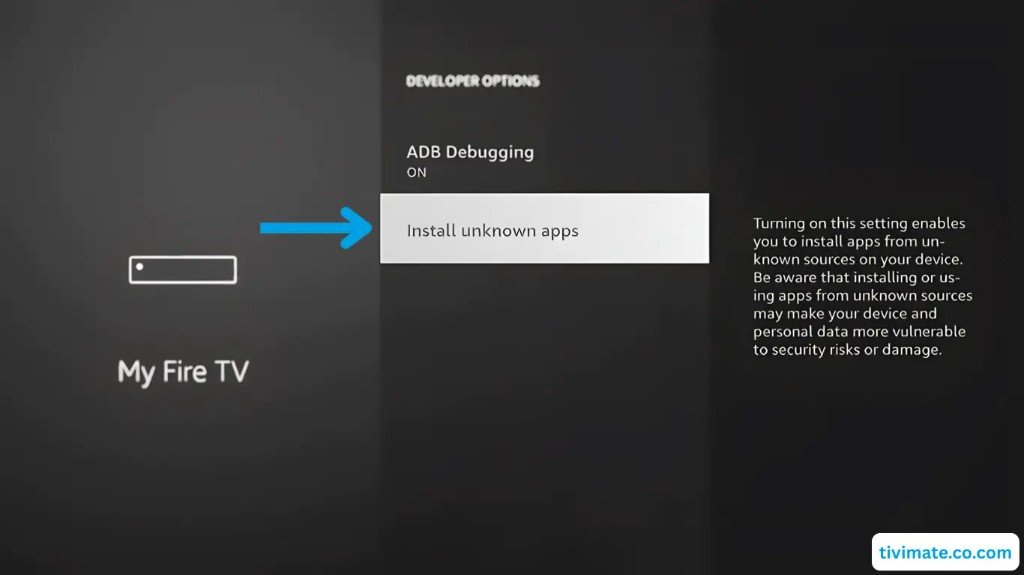
Open Install unknown apps.
-
Turn On permission for Downloader.
-
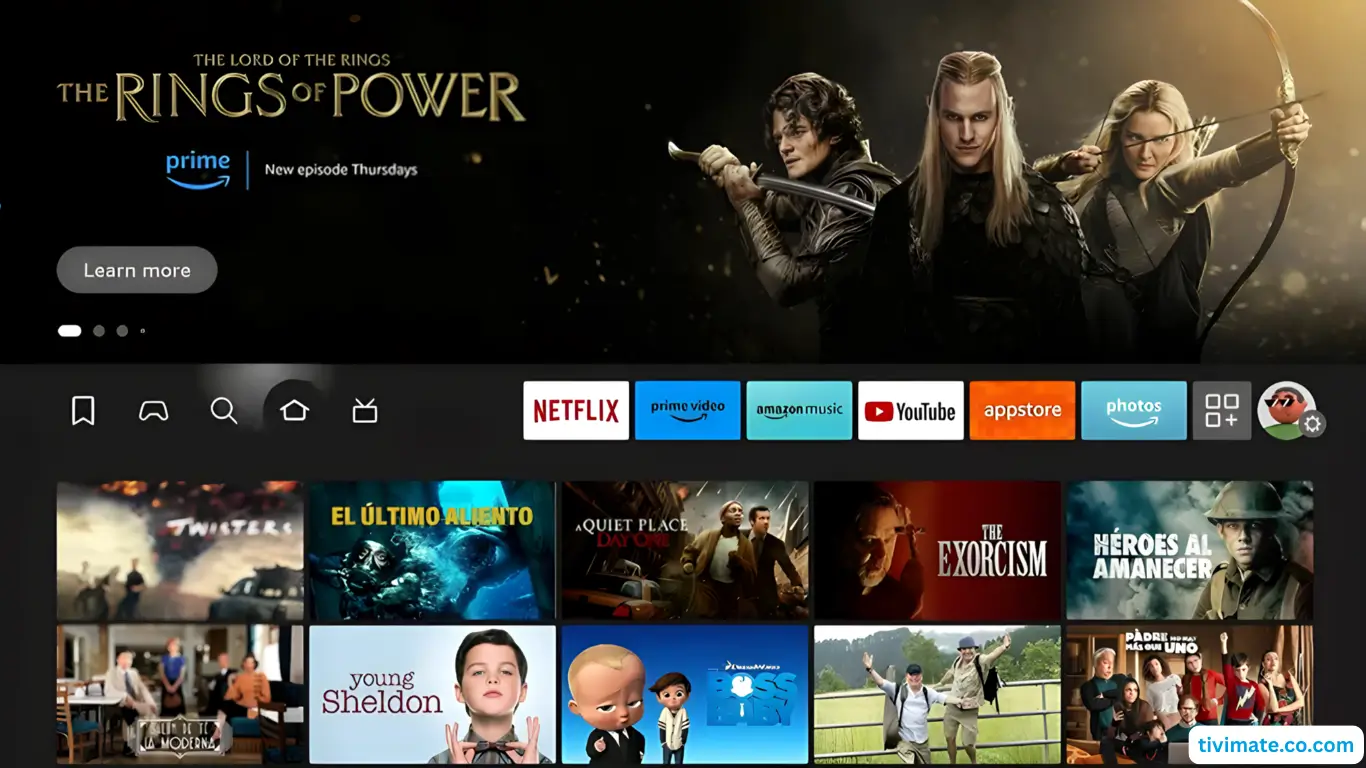
Press the Home button on your remote.
Part 3: Download & install the player
-
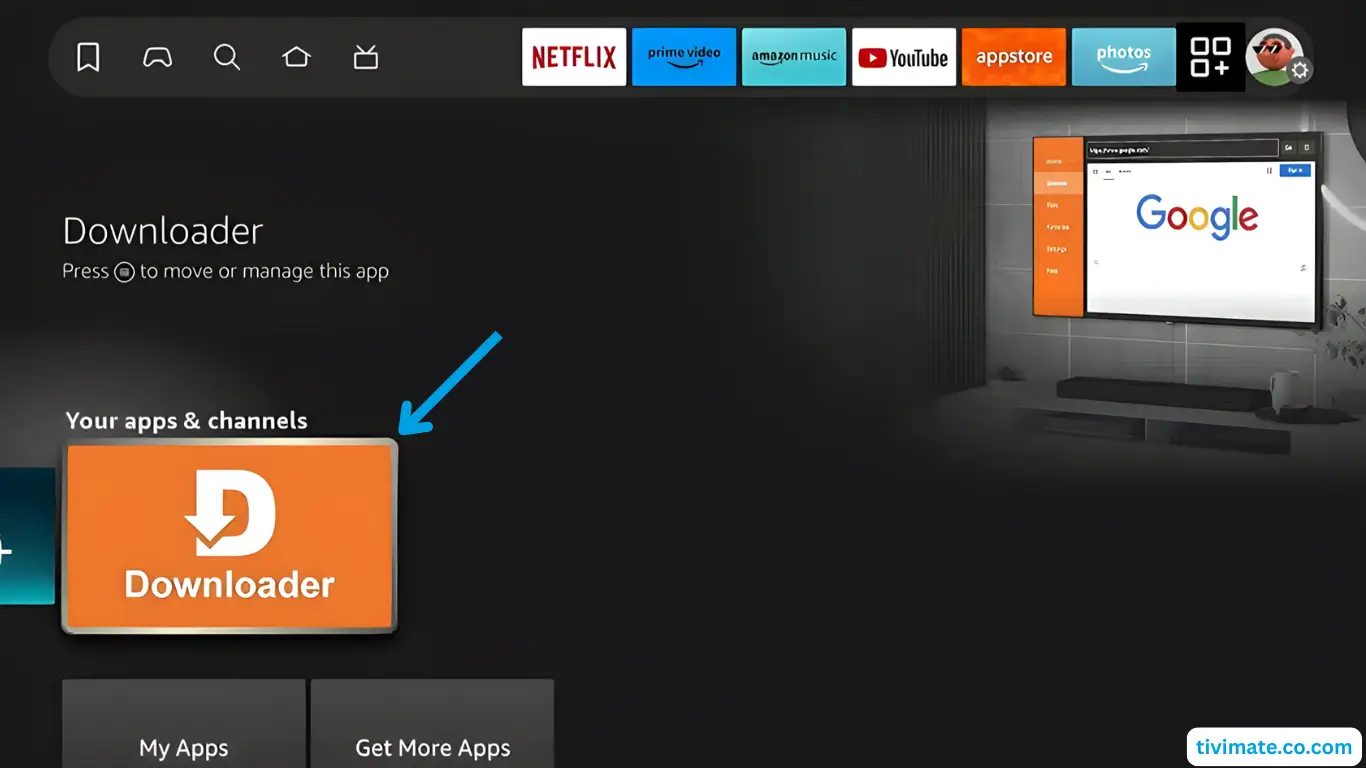
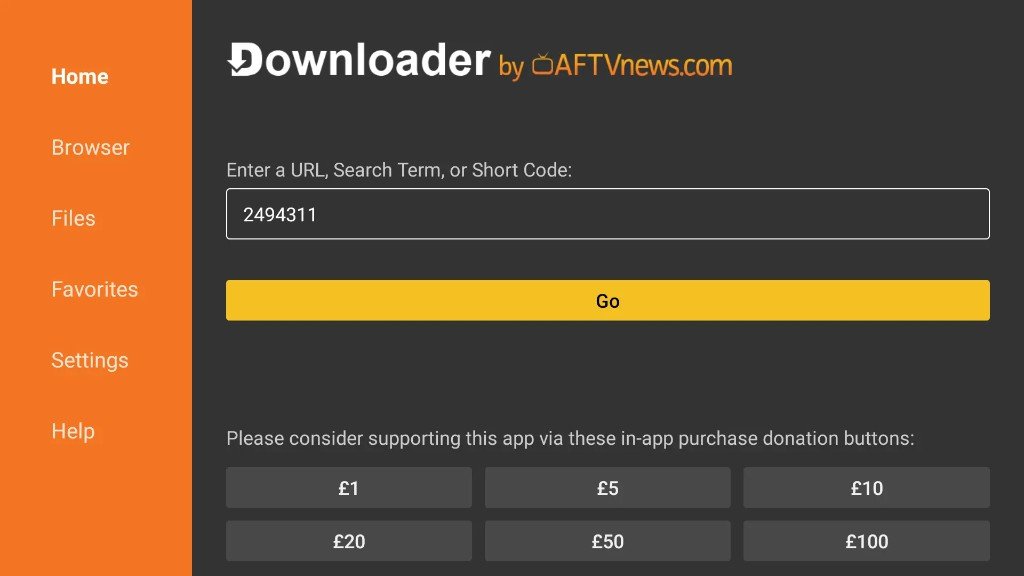
Open the Downloader app.
-
Select Allow so Downloader can access files.
-
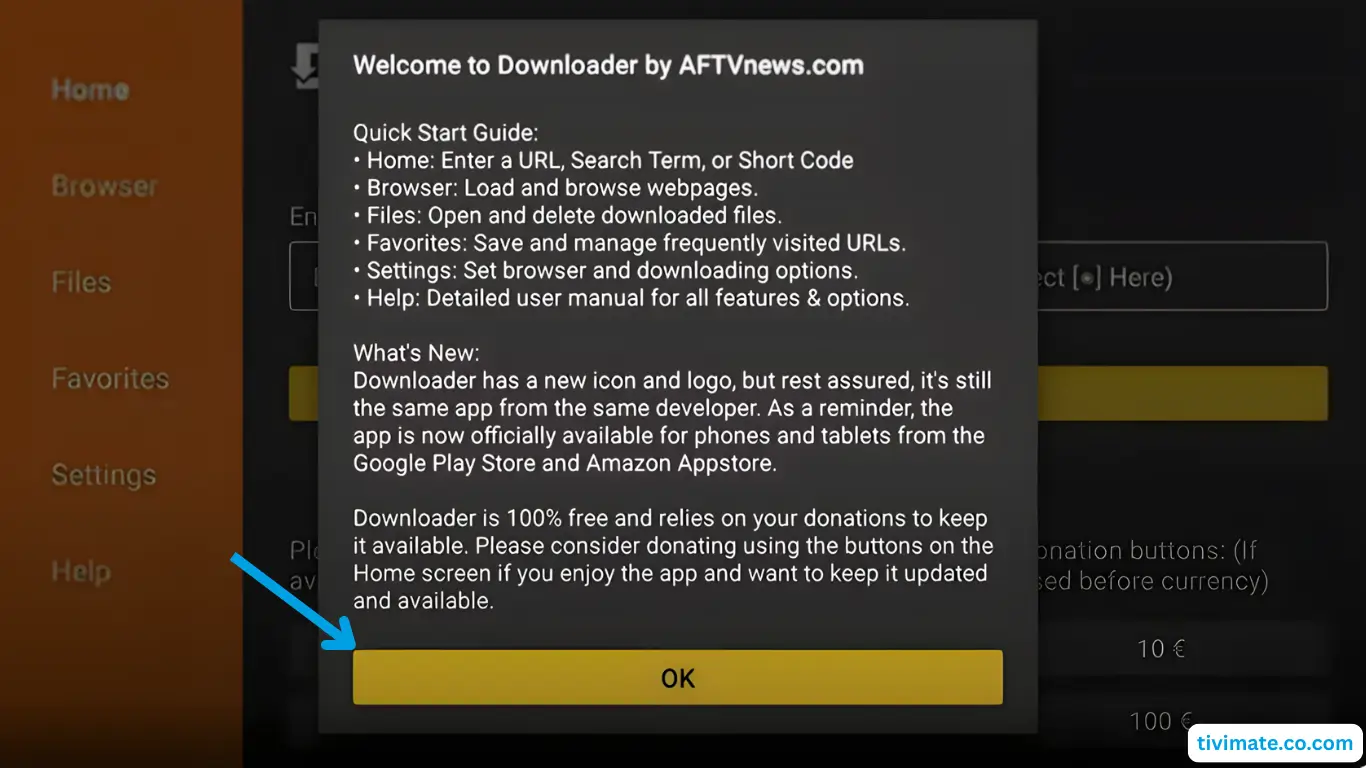
Dismiss the welcome message (OK).
-
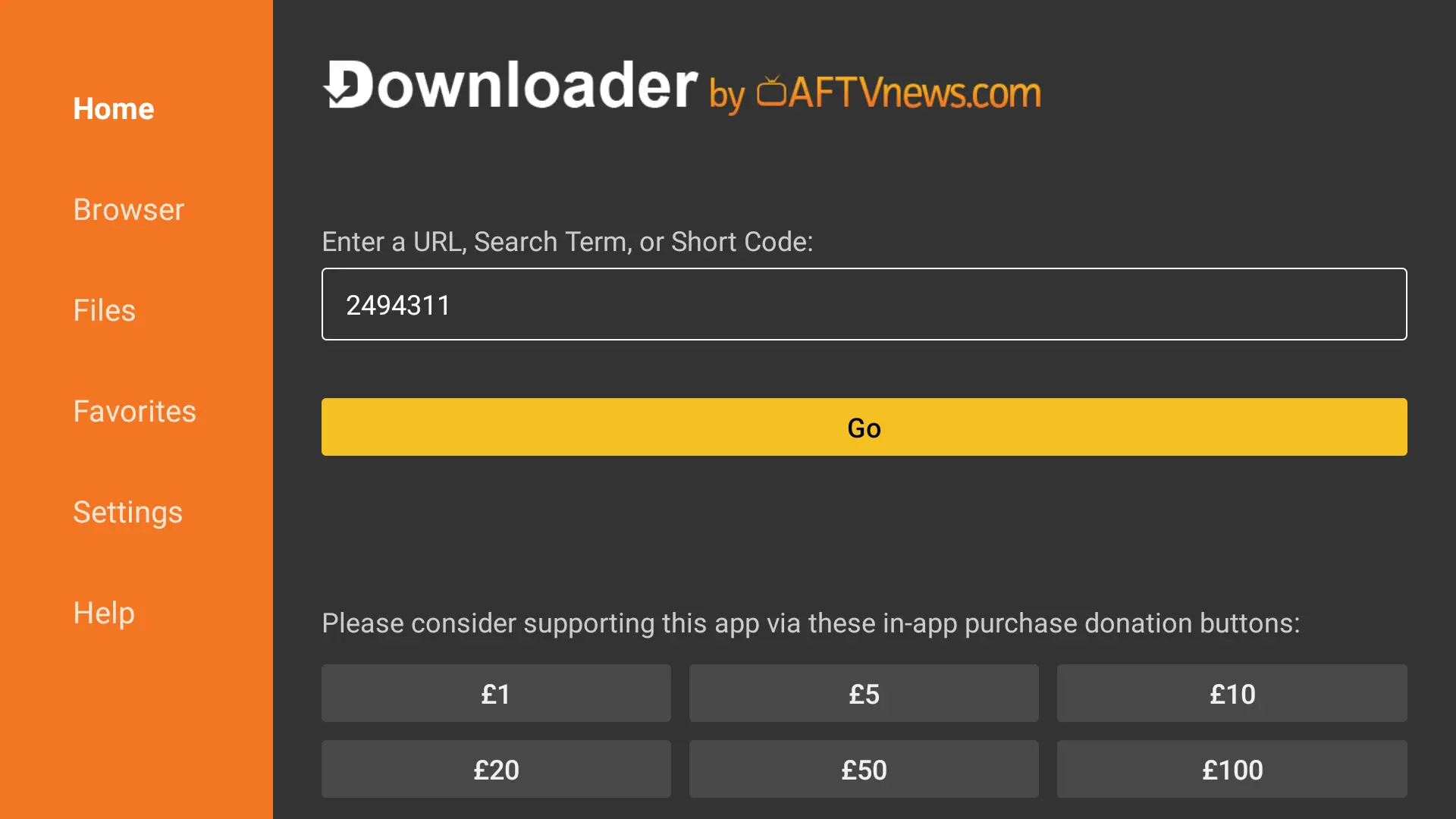
Enter the APK link / short code from SmartTVs WhatsApp, then press Go.
-
Accept the privacy / cookie notice if it appears.
-
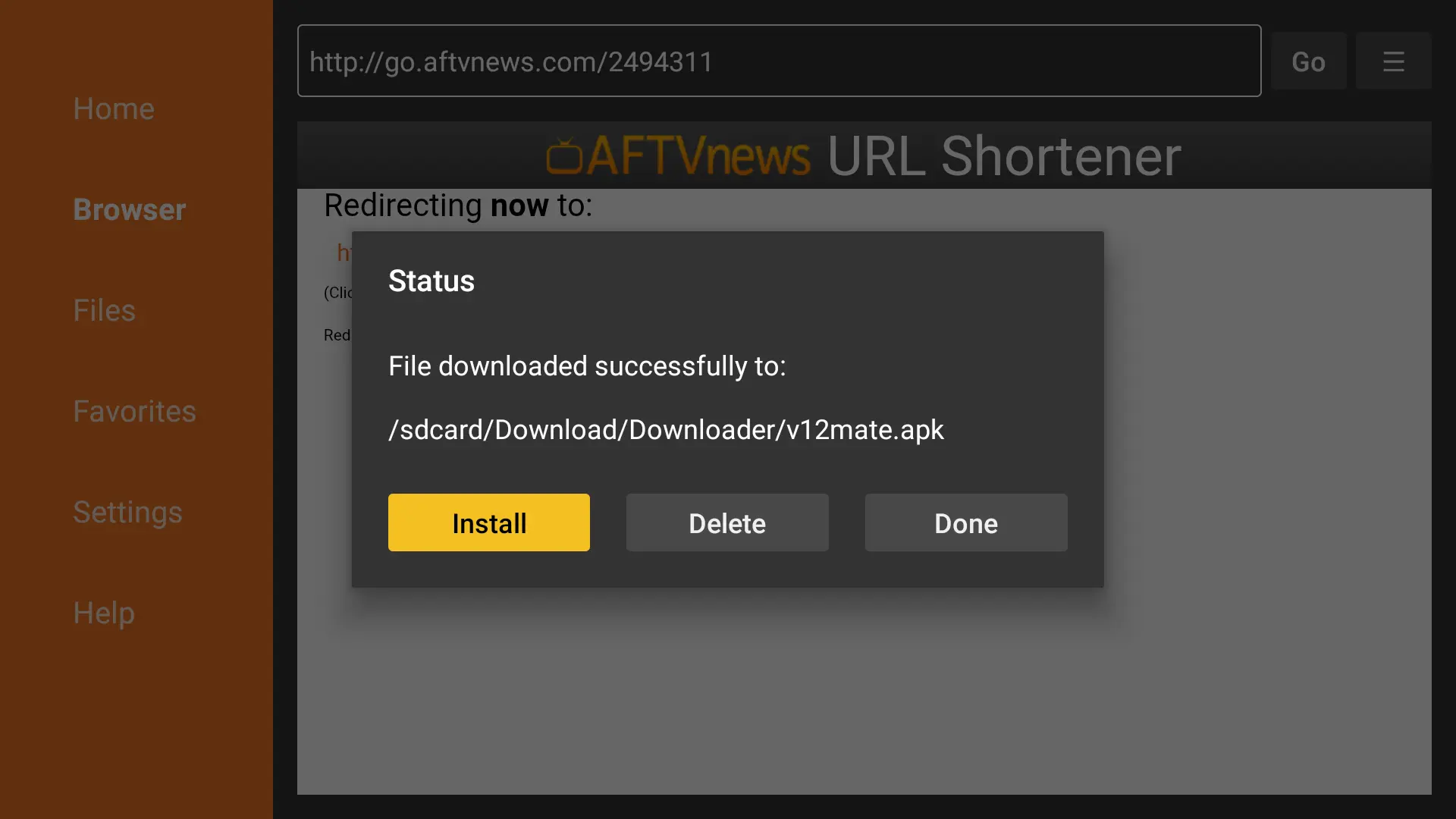
When the file finishes downloading, press Install.
-
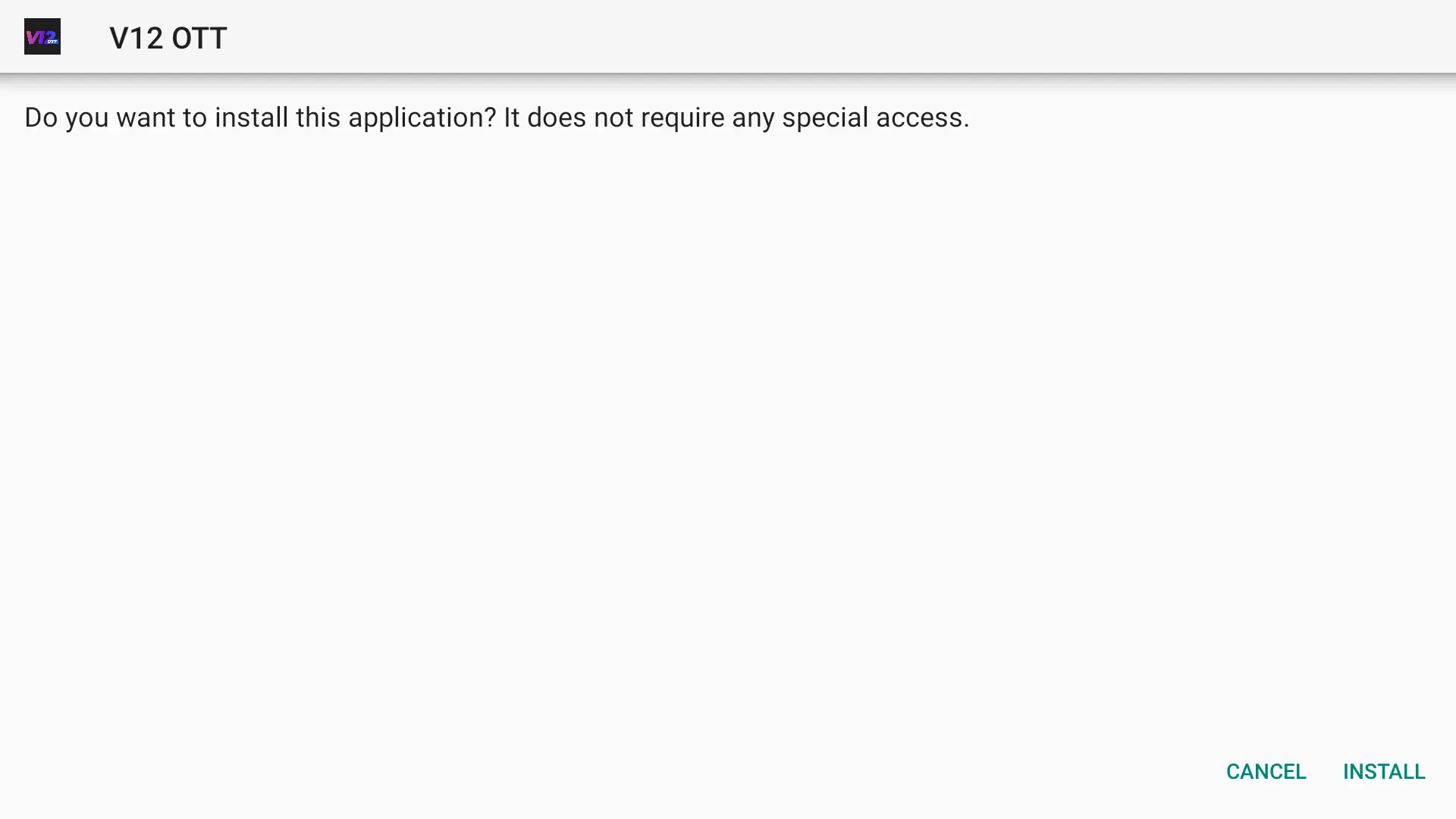
Confirm Install on the system prompt.
-
Wait while the player installs.
-
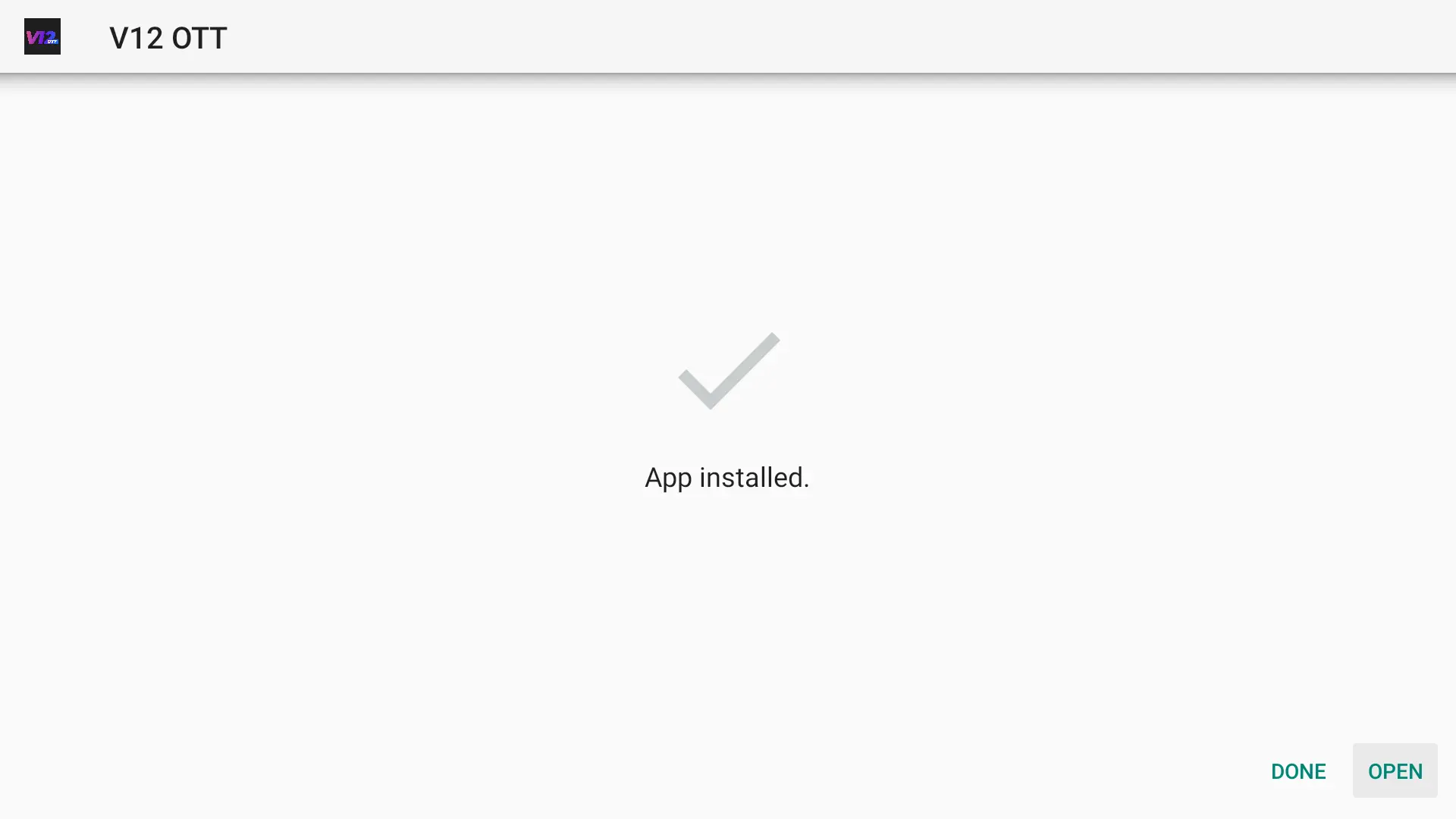
When you see App installed, press OPEN.
Part 4: Login with SmartTVs credentials
-
On the welcome screen, choose Add playlist.
-
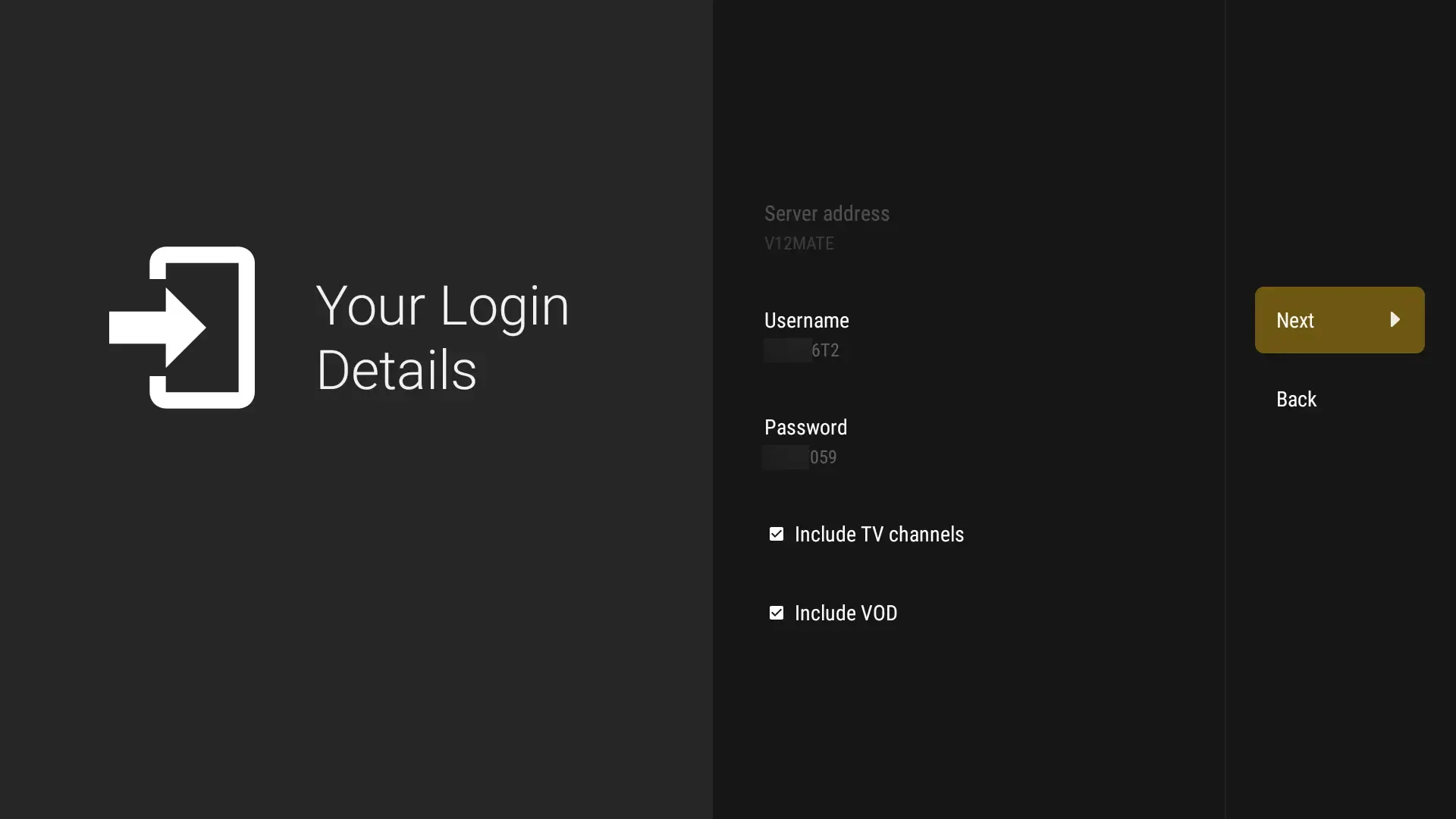
Open Your Login Details and enter the SmartTVs details from WhatsApp:
- Server address / URL
- Username
- Password
- Keep Include TV channels + Include VOD checked
-
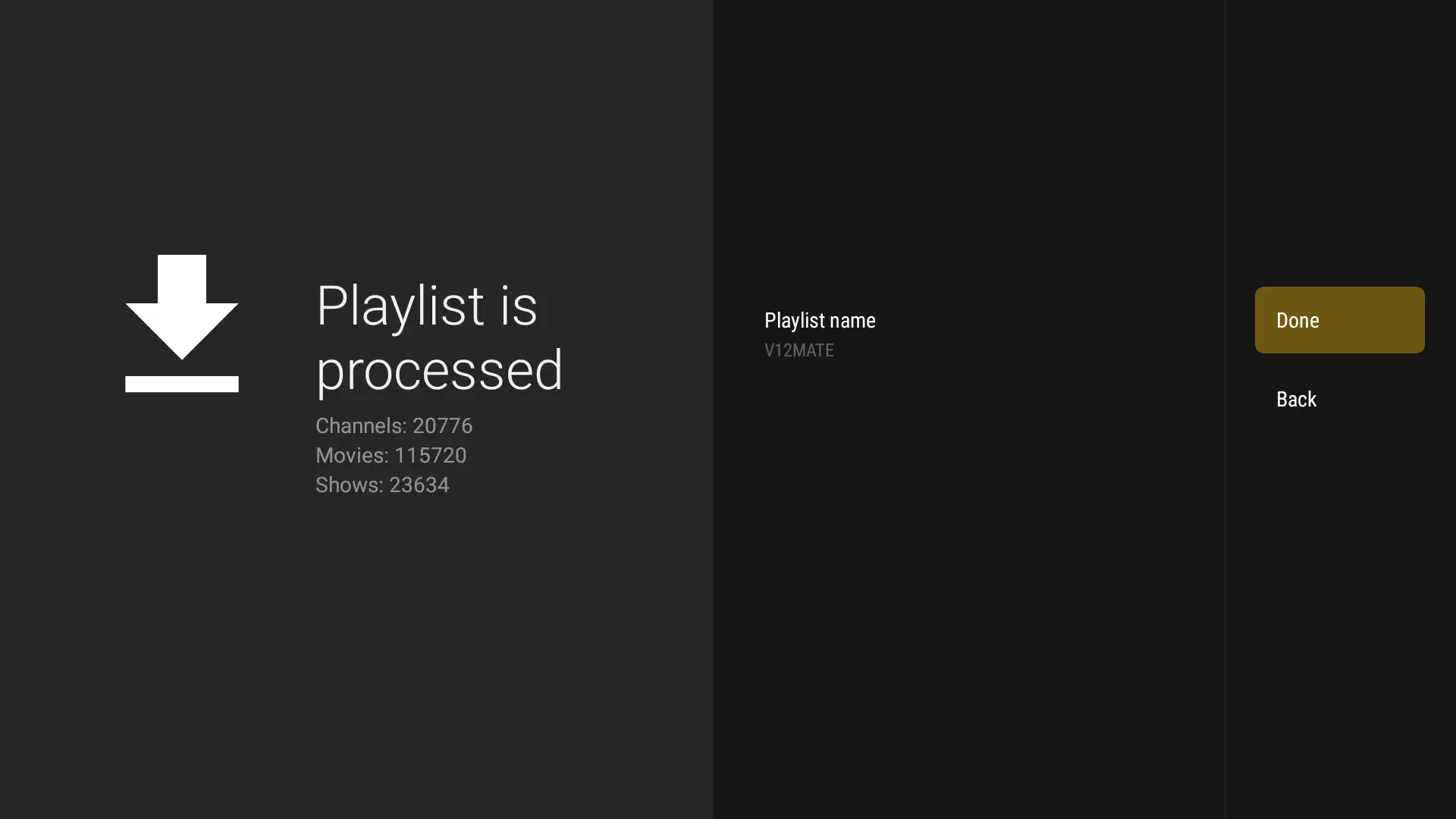
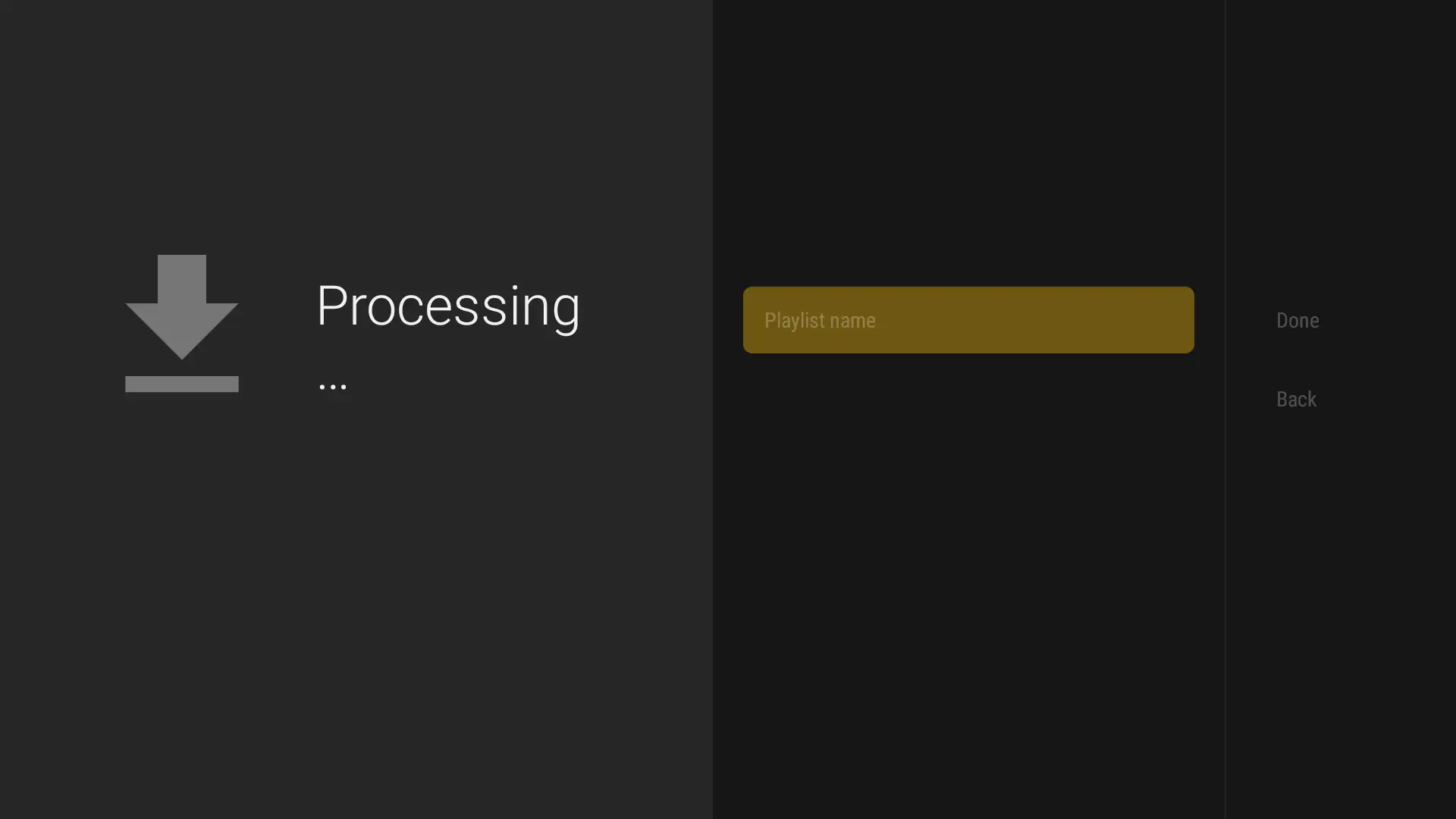
Press Next and wait while the playlist loads — then open the player from Home / Your Apps to watch Live TV.
IPTV on Firestick: Troubleshooting
| Problem | Fix |
|---|---|
| Downloader not in search results | Search for “Downloader” by AFTVnews in the Appstore, or update the Fire TV software first. |
| “Install unknown apps” missing | Unlock Developer Options: Settings → My Fire TV → About → click the device name 7 times. |
| Player won’t log in | Copy the server URL, username and password exactly from WhatsApp. They are case-sensitive. |
| Buffering on live TV | Use the Ethernet adapter or 5 GHz Wi-Fi and clear the cache. |
| Firestick slow or freezing | Restart it (hold Select + Play for 5 seconds) and read Firestick not working. |
Still stuck? Check your speed with Speedtest (about 15–20 Mbps for HD), read IPTV internet speed, or message our UK support on WhatsApp.
Tips for the Best IPTV on Firestick Experience
A Fire TV Stick 4K or 4K Max gives the smoothest picture for sport. Not sure which to buy? See Firestick 4K vs 4K Max. Prefer IPTV Smarters? Follow the IPTV Smarters Pro setup instead.
Set Up IPTV on Other Devices
Watching on more than one screen? See IPTV on multiple devices and compare IPTV UK subscription plans.
IPTV Firestick: Frequently Asked Questions
How do I put IPTV on my Firestick?
Install Downloader from the Amazon Appstore, allow it to install unknown apps in Developer Options, download the player with the link from SmartTVs, then log in with your username, password and server URL.
What is the best IPTV app for Firestick?
TiviMate, IBO Player and IPTV Smarters Pro are the most popular. They are players only; the channels come from your IPTV subscription.
Does IPTV work on every Firestick?
Yes, on all Fire TV Sticks, the Fire TV Cube and Fire TV Edition TVs. The 4K and 4K Max models are the fastest.
Why is Developer Options missing on my Firestick?
Amazon hides it. Go to Settings → My Fire TV → About and click your device name 7 times to unlock it.
Need help with IPTV on Firestick?